Blog post
WhatsApp Business App vs API: Which One Does Your Business Need?
A side-by-side look at the WhatsApp Business app and the API, the signs you have outgrown the app, and a checklist for moving your number.
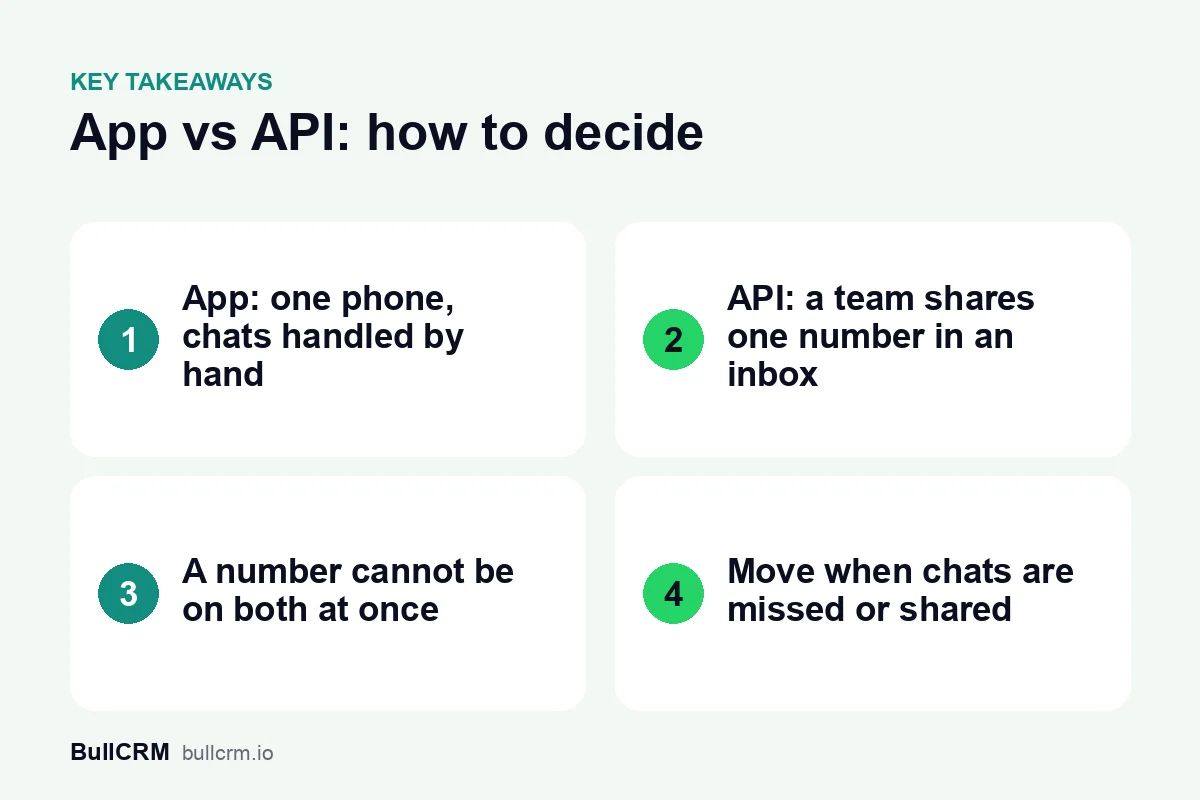
The WhatsApp Business app vs API choice comes down to how many people answer your chats and how many customers you need to reach. The app runs on a phone and suits one person handling conversations by hand. The API, now called the WhatsApp Business Platform, runs through a provider's software, so a team can share one number, automate replies and send approved templates to opted-in customers. The signs below will tell you which side of that line your business is on.
How do the WhatsApp Business app and the API compare?
Here is what each option means day to day for a small or mid-size business in India. The WhatsApp Business app and the WhatsApp Business Platform each have an official page if you want Meta's own description.
| WhatsApp Business app | WhatsApp Business Platform (API) | |
|---|---|---|
| Where it runs | On a phone | Through a provider's software |
| Who answers | Whoever has the phone | A team working from a shared inbox |
| Setup | Install the app and verify the number | Meta Business Portfolio, WhatsApp Business Account and a provider |
| Starting conversations | Typed by hand, one chat at a time | Approved templates, including broadcasts to opted-in customers |
| Automation | Basic built-in replies | Chatbots, timed follow-ups and AI agents, depending on the provider |
| Customer records | Kept in the phone | Chats linked to CRM contacts and ad leads |
| Cost | Free to download | Per-delivered-message charges plus a provider plan |
Neither is better in general. The app's strength is simplicity; the platform's strength is that the number stops depending on one handset and one person. If you are new to the platform, start with what the WhatsApp Business API is and how it works.
What are the signs you have outgrown the app?
Few businesses plan the move in advance. They notice the app getting in the way, usually during a busy season. If three or more of these sound familiar, it is time to look at the platform.
- The phone gets passed around. Staff share one handset, or one person forwards screenshots to whoever knows the answer.
- Chats get missed. Messages that arrive during rush hours or after closing wait until someone scrolls back.
- Nobody knows who replied. Two people answer the same customer differently, or nobody answers because each assumed the other had.
- History lives in one person's head. When the person who handled a customer goes on leave, the context goes with them.
- You want to reach many customers at once. Sending a festive update to hundreds of buyers one by one is not practical.
- Leads never reach your sales list. Enquiries from ads and your website stay in the phone instead of becoming records someone owns.
For example, a real-estate developer in Lucknow promoting a new launch might receive dozens of enquiries a day across three site managers. On the app, each enquiry waits for whoever holds the phone. On the platform, each one can be assigned to a manager, answered and tracked to a site visit.
What changes when you move your number to the API?
For customers, very little changes: they message the same number from the same WhatsApp app. For your business, quite a lot changes behind the number, so plan for these points before you switch.
The number leaves the app
A number can be on the WhatsApp Business app or the platform, but not both at once. After the move, staff stop answering on the phone and work from the provider's inbox instead. Before you switch, note anything from the app you will need later, such as open orders, pending quotes or promised call-backs.
Your company needs Meta accounts
You need a Meta Business Portfolio and a WhatsApp Business Account inside it. Create them in the company's name rather than an employee's personal profile, and give at least two trusted people admin access.
Starting a conversation needs a template
When a customer messages you, a 24-hour customer service window opens and you can reply freely. Outside that window, business-initiated messages need an approved template. That means writing your common outbound messages, such as order updates and follow-ups, in advance.
Messages are charged, and opt-in matters
On the platform, every delivered message is charged by category and recipient market; on BullCRM it is paid from your WhatsApp credits. At the time of writing (October 2026), each number also gets 1,000 free Service messages a month. Customers must opt in before you send them business messages, so start recording consent wherever you collect numbers. Our guide to WhatsApp Business API pricing in India works through a full monthly bill.
A checklist for moving from the app to the API
A planned switch takes the stress out of moving a number that customers already use. Work through these steps in order:
- List who answers WhatsApp today and which kinds of chats each person handles.
- Choose the number to move, and pick a switch day when chat volume is low.
- Write down open conversations, orders and quotes so nothing is lost in the move.
- Create or confirm your Meta Business Portfolio and WhatsApp Business Account in the company's name.
- Connect the number to your provider and invite your team.
- Set assignment rules, quick replies, and welcome and away messages before the first chat arrives.
- Draft and submit the templates you use most, such as an order update and a payment reminder.
- Tell regular customers that the number stays the same and replies will now come from your team.
- For the first week, review slow or missed chats every evening and adjust the rules.
The day-to-day running of a team inbox, from assignment and notes to handover, is covered in our guide to running a WhatsApp shared inbox.
How does a team share one number after the move?
Once the number is on the platform, the inbox becomes the centre of the work. In BullCRM's WhatsApp shared team inbox, chats can be shared round-robin or kept with one owner per number, and a manager can still assign any chat by hand.
- Internal notes let teammates add context that customers never see.
- Quick replies answer common questions in seconds from categorised canned responses.
- Tags, custom fields and follow-up reminders show what each chat needs next.
- Smart views save filtered lists of chats with live counts, so a manager can see what is waiting.
- Bot takeover lets an agent take over from an automation or AI agent with one click.
For example, a D2C brand could route order questions to its support pair and bulk-order enquiries to the founder, all on one number. Each person sees the full chat history, so customers do not have to repeat themselves.
Can a small business run on the API without a developer?
Yes. With a provider that offers a ready inbox, a small business does not need code to get started. In WhatsApp Hub, the inbox, automations, AI agents and broadcasts are all set up without code, using a visual builder for flows.
Plan choice matters once more than one person answers chats. The Starter plan covers one user on one WhatsApp number, while the shared team inbox is included from the Growth plan upward. Our page on WhatsApp for small and medium businesses shows how small teams usually set things up.
Developer help is only needed when you want your own systems, such as a billing tool, to trigger messages through webhooks. Webhooks and API access are part of the Enterprise plan.
Frequently asked questions
Can I use the app and the API on the same number?
No. A number can be on the WhatsApp Business app or the platform, not both at once. If you want to keep the app for something specific, use a separate number for it.
Will my customers notice the switch?
They keep messaging the same number from their usual WhatsApp app. What they should notice is faster replies and fewer missed chats, provided your team sets up assignment and away messages well.
Is the API worth it if one person answers all our chats?
Often not yet. If one person handles every chat comfortably and you rarely message many customers at once, the app may be enough. Revisit the decision when you add a second person to WhatsApp or start running ads that bring in chats.
How long does the move take?
The setup steps are short once your Meta accounts are in order; most of the effort is planning. If you agree on assignment rules and templates beforehand, you can aim to make the switch itself on a single quiet day.
If the signs above describe your week, the platform will give your team room to grow without losing the number customers already know. Try WhatsApp Hub free for 30 days and see how your team works from one shared inbox.