Blog post
Sales Follow-Up Automation: Cadences That Still Feel Human
Automate the follow-ups your team forgets: triggers, actions, three cadences you can copy, what WhatsApp follow-ups cost and how to keep it personal.
Sales follow-up automation means letting your CRM take the routine next step for you when something happens to a lead: it is created, its status changes, or it goes quiet. The most useful automations do three things within moments of that event: assign an owner, create a follow-up task and send a first WhatsApp message. Your reps then spend their time on the conversations that need judgement. This guide shows which follow-ups to automate, three cadences you can copy, what WhatsApp follow-ups cost and how to keep the whole thing sounding like a person.
Which sales follow-ups should you automate first?
Automate the follow-ups that are predictable, time-sensitive and easy to forget. Leave anything that needs negotiation, empathy or a judgement call to a person. The table sorts common sales moments into those two groups.
| Moment | Let the system do this | Keep this human |
|---|---|---|
| New lead arrives | Assign an owner, create a call task, send a welcome message | The first real conversation |
| Lead contacted but silent | Create a reminder task for the owner after a set wait | Deciding whether to try another channel |
| Lead qualified | Share a brochure or price sheet on WhatsApp | Discovery questions and tailoring the offer |
| Deal reaches proposal | Add a note to the record and a task to check in | Handling objections and price talks |
| Deal lost | Update fields and prompt for a loss reason | Learning why, and whether to revisit later |
Start with the first row. Speed on new leads usually matters more than anything else in the list, and it is the easiest moment to automate well. If your lead stages are not defined yet, our lead management process guide sets out the steps these triggers hang off.
How does a trigger-based follow-up flow work?
Every automated follow-up has the same shape. A trigger starts it, conditions decide which path it takes, waits control the timing, and actions do the work.
- Trigger: the CRM event that starts the flow, such as a lead being created or a deal changing status.
- Conditions: checks that branch the flow, for example by lead source or product interest.
- Waits: pauses before the next step, so messages do not arrive in a burst.
- Actions: assign the lead, set its source, update fields, add a note, create a task or send a WhatsApp message.
Once you see that pattern, any follow-up you can describe in one sentence can be built as a flow. In BullCRM, these flows are built in the WhatsApp Hub visual flow builder, which includes CRM triggers and actions, and the sales automation overview lists what each step can do. CRM triggers run for leads and deals that match a WhatsApp contact by phone number, so store numbers with the country code from day one.
Email and calls still have a place
Not every follow-up belongs on WhatsApp. A detailed proposal often reads better as an email, and a hesitant buyer may need a call. With email and call logging in the CRM, reps email or call from the lead record and every message is logged for the next person. Emails from records go out immediately rather than on a schedule, so let the automated task prompt the rep and keep the email itself personal.
Three follow-up cadences you can copy
A cadence is the planned order and timing of your touches. The examples below are starting points, so adjust the gaps to how quickly your buyers usually decide.
1. New course enquiry
For example, a coaching institute in Pune that receives enquiries from its website might run this cadence:
- Straight away: assign a counsellor, create a "call within the hour" task and send a WhatsApp welcome with the course brochure.
- After a wait: if there is no reply, send a short nudge asking which batch timing suits the student.
- Next day: create a second call task for the counsellor.
- Later that week: send an approved template with the next demo class date.
2. Qualified buyer, no site visit booked
A real-estate developer in Lucknow might start this flow when a lead's status changes to "Qualified":
- Send the floor plan and location on WhatsApp, with two suggested visit slots.
- Wait, then branch: if the buyer replied, alert the sales executive, and if not, send one gentle reminder.
- If there is still no reply, create a task for the executive to call and update the status.
3. Quote sent, buyer gone quiet
A distributor selling to retailers might start a flow when a deal moves to a "Quote sent" stage:
- Add a note to the deal with the quote date and amount.
- Wait, then create a check-in task for the deal owner.
- If the deal has not moved, send a WhatsApp message asking whether the buyer has questions about the quote.
One practical limit to plan around: in BullCRM, each wait step can be up to 24 hours, so chain several waits to space messages across days. The guide to automated WhatsApp follow-up sequences explains how wait steps, reply branches and templates combine.
What do automated WhatsApp follow-ups cost?
WhatsApp charges per delivered message, and the price depends on the message category and the recipient's country. Inside the 24-hour customer service window that follows a customer's message, you can reply with a normal message. Outside it, any business-initiated message needs an approved template.
At the time of writing (October 2026), BullCRM's rates for recipients in India were as follows:
| Category | Typical follow-up use | BullCRM rate per delivered message (India) |
|---|---|---|
| Marketing | Offers, launch news and re-engagement nudges | ₹0.9494 |
| Utility | Updates such as visit or booking confirmations | ₹0.1438 |
| Service | Replies inside the 24-hour customer service window | ₹0.1438, after the free monthly allowance |
Each WhatsApp number gets 1,000 free service messages a month, and unused ones do not roll over. Rates change, so check the live WhatsApp rates by country before you budget, and read Meta's own WhatsApp pricing documentation for how categories are charged. A cadence that waits for the customer to reply and then continues inside the service window usually costs less than one built entirely from marketing templates.
How do you keep automated follow-ups human?
Automation should make your team faster, not make customers feel processed. A few rules keep it personal.
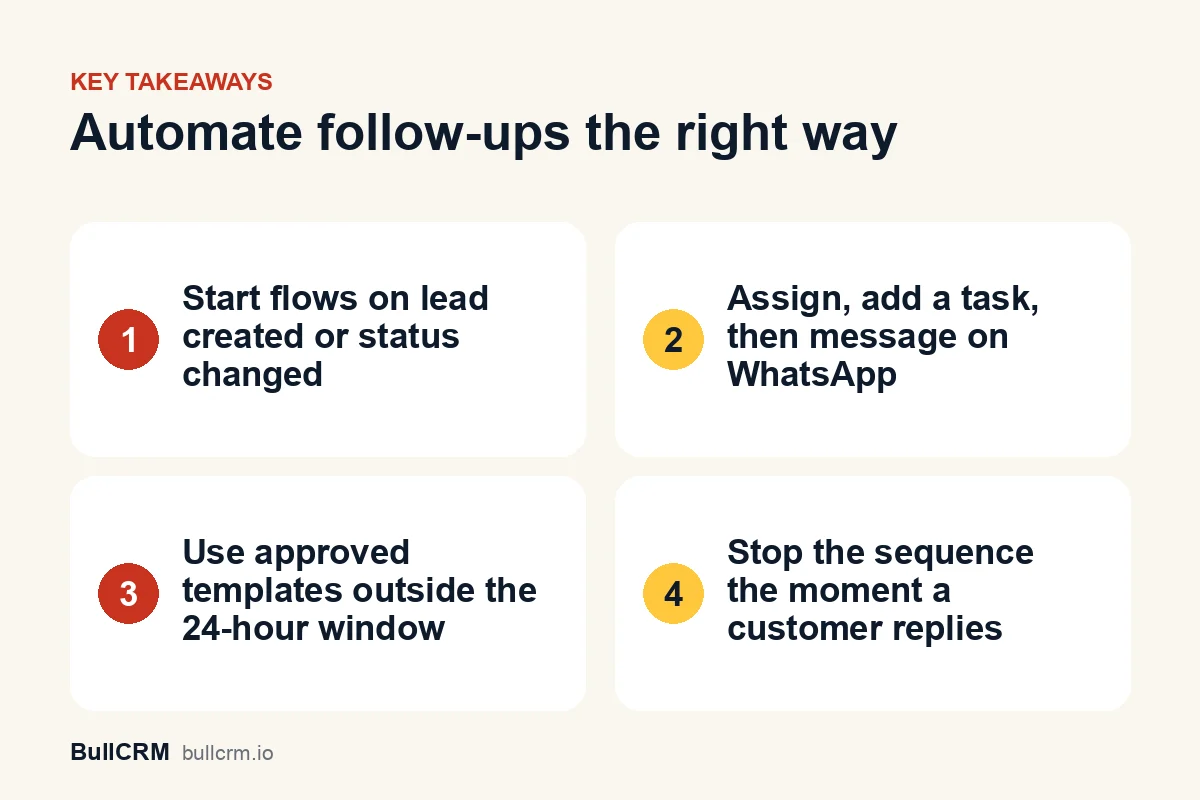
- Stop on reply. Branch the flow so a customer's reply ends the automated path and alerts the owner.
- Write like your best rep. Keep messages short and specific, with the customer's name and what they asked about.
- Automate the reminder, not the relationship. For high-value deals, let the flow create a task and let the rep write the message.
- Respect opt-in and opt-out. Message only people who agreed to hear from you, and remove anyone who asks to stop. The WhatsApp Business Policy sets the baseline.
- Keep the gaps sensible. Three messages in one day reads as spam, whatever the content.
- Keep bulk offers out of cadences. Promotions to a whole list belong in a broadcast, and our WhatsApp broadcast best practices cover segmentation and timing.
How can you tell whether your automation is working?
Review every flow after its first week, then once a month. Look at the run logs and step-level results to see where contacts drop out or where a condition sends people down the wrong path.
- Reply rate per step: which message gets answered, and which gets ignored?
- Time to first contact: has it dropped since the flow went live?
- Tasks completed on time: are reps acting on the tasks the flow creates?
- Status movement: do automated leads reach "Qualified" as often as leads handled by hand?
Keeping WhatsApp chats on the customer record makes this review much easier. Our guide to WhatsApp CRM integration explains what to sync and why it matters.
Frequently asked questions
Do CRM follow-up flows need WhatsApp Hub?
Yes. Flows are built in the WhatsApp Hub flow builder, and CRM triggers run for leads and deals that match a WhatsApp contact by phone number. Web Forms has its own owner-assignment rules for new submissions.
Can I add a whole contact list to a sequence at once?
Not today. Contacts join a sequence through the flow's trigger, or a teammate can enrol one contact manually. For a one-off message to a whole list, use a broadcast instead.
Can follow-up emails be scheduled to send later?
Emails sent from a CRM record go out straight away, without a scheduling option. A flow can create a task that reminds the rep to send the email at the right moment, which also keeps the wording personal.
How many follow-ups is too many?
There is no fixed number, but each touch should add something new, such as information, a time slot or an answer. If you have nothing new to say, wait or hand the lead to a person.
Good sales follow-up automation is quiet. Leads get an owner and a reply within minutes, reps get reminders instead of guilt, and customers hear from a person when it matters. Pick one trigger, build one cadence and review it after a week. To see plans and limits, compare BullCRM CRM plans and start with the one that fits your team.