Blog post
Lead Management Process: 6 Steps From Enquiry to Customer
Six steps that take a lead from first enquiry to paying customer, with a status workflow you can copy and the mistakes that quietly lose sales.
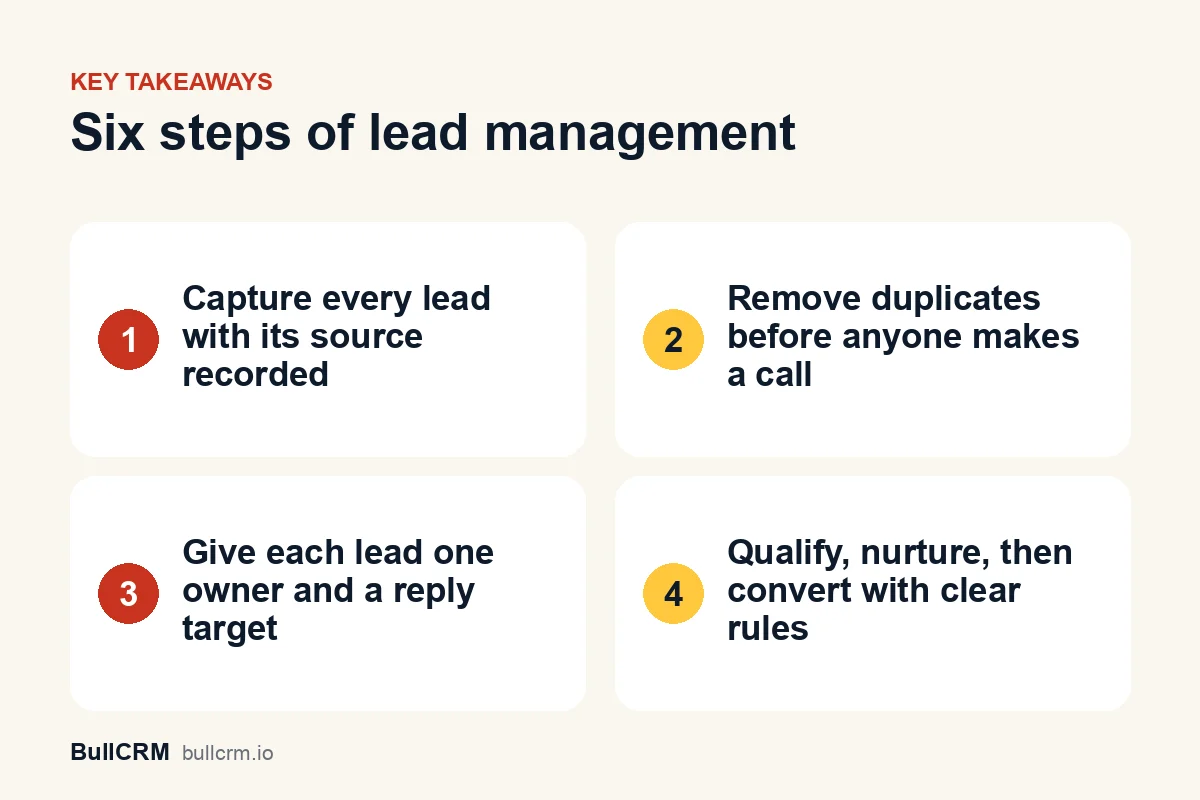
A lead management process is the set of steps every enquiry goes through, from the moment it arrives to the moment it becomes a customer or is closed out. For most Indian small and mid-size businesses, six steps cover it: capture, dedupe, assign, qualify, nurture and convert. Write each step down, give it an owner and a rule, and leads stop slipping through WhatsApp chats, missed calls and spreadsheets. This guide walks through each step with examples you can adapt this week.
What does a good lead management process look like?
Think of the process as a relay race. Each step has a clear handover, and nobody should wonder whose turn it is. The table below is a starting template, so change the owners and rules to fit your team.
| Step | What happens | Who owns it | Done when |
|---|---|---|---|
| Capture | The enquiry is saved with a name, phone or email, and a source | System or front desk | The lead exists in one place with a source |
| Dedupe | The lead is checked against existing records | System, then the owner | No second copy of the same person exists |
| Assign | One person is made responsible | Rule or sales manager | The lead has an owner and a reply deadline |
| Qualify | Need, budget, timing and fit are checked | Lead owner | The status is set to qualified or disqualified |
| Nurture | Leads that are not ready get planned follow-ups | Lead owner or automation | A next step and a date are recorded |
| Convert | Qualified interest becomes an opportunity | Lead owner | An opportunity or deal is created |
If your team already uses a CRM, these steps map onto lead records, statuses and owners. In BullCRM, for instance, lead and pipeline management lets you set your own lead statuses, sources and ratings in Setup. That way the table above becomes the real workflow rather than a document nobody opens.
Step 1: Where should you capture leads from?
Capture every enquiry in one system, whatever channel it came through, and record the source at the same moment. A lead without a source tells you nothing about which channel deserves more of your time and money next month.
Typical lead sources for an Indian small business include:
- Website enquiry forms and landing pages
- WhatsApp chats, including people who tap a Click-to-WhatsApp ad
- Phone calls and missed calls to the sales number
- Walk-ins, exhibitions and trade fairs
- Referrals from existing customers and channel partners
Automate capture where you can
Manual entry is where leads disappear. A form that creates the lead directly removes the copy-paste step, and web forms that create CRM leads can add each submission as a lead with the form recorded as its source. Our guide to turning web form submissions into CRM leads covers which fields to ask for and how to keep spam out.
Collect consent with the contact details
If you plan to message leads on WhatsApp later, ask for their opt-in when you collect the number. Customers must opt in before a business messages them, as the WhatsApp Business Messaging Policy sets out. India's personal data rules also apply to what you store, so the government's data protection framework page is a sensible starting point, and a lawyer can advise on your specific case.
Step 2: How do you stop duplicate leads?
Duplicates cause real damage. Two reps call the same person, the customer feels chased, and your reports double-count demand. Deal with them at the point of entry, because cleaning up later is slower and messier.
- Search before you create. Train anyone entering leads by hand to search by phone number and email first.
- Clean imports before uploading. Remove repeated rows in Excel before you import a spreadsheet, because some import tools, BullCRM's included, do not merge duplicates for you.
- Block repeats at the form. A form rule that rejects duplicate emails stops the same person being added twice from your website.
- Standardise phone numbers. Store every number with the country code, such as +91, so your team can spot two entries for the same person.
Agree one rule for genuine repeat enquiries too. If an existing customer asks about a new product, decide whether that is a new lead or an activity on the old record, and apply the rule every time.
Step 3: Who owns a new lead, and how fast should they reply?
Every lead needs exactly one owner. Shared ownership sounds collaborative, but it usually means nobody calls. Pick the assignment method that fits your team size and the mix of enquiries you get.
Assignment options
- Fixed owner: one person takes all leads from a source, which suits a small team or a specialist product.
- Round robin: leads rotate across reps so the workload stays even.
- Territory or product rules: a real-estate developer in Lucknow might send enquiries for each project to that project's sales team.
- Manual triage: a manager reviews and assigns, which works when volumes are low and leads vary a lot.
Set a speed-to-lead target
Speed-to-lead is the time between an enquiry arriving and your first real reply. There is no universal benchmark worth quoting, so measure your own. Note the arrival time and first contact time for a fortnight, then set a target your team can actually hit, with an automatic acknowledgement covering the gap.
Automation helps here. A flow can assign an owner, create a follow-up task and send a WhatsApp message the moment a lead is created, and the overview of sales automation for CRM and WhatsApp shows how those steps fit together.
Step 4: How do you qualify a lead?
Qualification separates people who might buy soon from people who are browsing, comparing or simply in the wrong place. Keep the questions short and ask the same ones every time, so your data stays comparable across reps.
- Need: what problem are they trying to solve?
- Budget: is their range realistic for what you sell?
- Timing: when do they want to decide or start?
- Authority: are they the decision-maker, or does someone else sign off?
- Fit: do they meet hard requirements, such as location or eligibility?
For example, a coaching institute in Pune might ask which exam the student is preparing for, the preferred batch timing and whether a parent decides on the fee. Those three answers are enough to decide whether a counsellor should call today or send the brochure first.
A lead status workflow you can copy
Statuses tell everyone where a lead stands without opening the record. Keep the list short, because six or seven statuses are plenty for most teams.
- New: captured, not yet contacted.
- Contacted: first reply sent, waiting for a response.
- Qualified: meets your criteria and is worth a sales conversation.
- Nurturing: interested but not ready, with a follow-up date set.
- Converted: moved into the pipeline as an opportunity.
- Disqualified: closed, with a reason recorded.
Make the disqualification reason a required pick-list. After a quarter, those reasons show you which sources send poor-fit leads and which ones deserve more budget.
Steps 5 and 6: How do you nurture and convert leads?
Nurturing and converting are two sides of the same decision: is this lead ready for a sales conversation yet? Treat them together, so no lead sits between the two without a next step.
Nurture the leads that are not ready yet
Most leads will not buy after the first conversation, and that is normal. Nurturing means staying useful and visible until the timing is right, without nagging.
- Set a next-step date on every nurturing lead, so it comes back to the owner on its own.
- Send something relevant at each touch, such as a price sheet, a site-visit slot or an admission deadline.
- Mix channels sensibly, because a call, an email and a WhatsApp message each suit different moments.
- Stop when the lead says no, and record the reason.
Timed follow-ups are easy to forget and easy to automate. Our guide to sales follow-up automation includes cadences you can copy and explains how to keep them sounding human.
Convert when the rules say so
Convert a lead when it passes your qualification rules, not when a rep feels hopeful. A clear trigger, such as "budget confirmed and meeting booked", keeps your pipeline honest and your numbers meaningful.
At conversion, the lead stops being a contact problem and becomes a selling problem. In a CRM you might qualify the lead into an opportunity with a confidence score, then track the deal through stages to Closed Won. Our guide to sales pipeline stages explains how to set exit criteria for each stage after conversion.
Which lead management mistakes cost the most?
Most leaks come from a handful of habits rather than from missing software. Check your team against this list.
- Leads live on personal phones. Chats and call logs on a rep's handset leave when the rep does, so route enquiries into a shared system.
- No source field. Without it you cannot compare channels, so make the source mandatory at capture.
- Too many statuses. Twelve statuses means nobody uses them correctly, so merge any that do not change the next action.
- Owners without deadlines. An owner with no reply target is just a name on a record.
- Deleting dead leads. Disqualified leads with reasons are useful data, so close them instead of deleting them.
- Never reviewing. Look at new, stuck and disqualified leads weekly, and fix the step that is leaking.
Frequently asked questions
What is the difference between a lead and an opportunity?
A lead is an enquiry you have not yet qualified. An opportunity is a lead that meets your criteria and has a realistic chance of buying. Keeping them separate stops unqualified enquiries from inflating your pipeline value.
How many lead statuses should we have?
Most small teams manage well with six or seven. Each status should change what the owner does next. If two statuses lead to the same action, merge them.
Should leads be assigned automatically?
Automatic assignment is faster and fairer once you have more than a couple of reps. Use round robin for even workloads, or a fixed owner per source when specialists handle certain enquiries. Keep a manager review for high-value or unusual leads.
Can a spreadsheet work as a lead management system?
For a handful of leads a week, it can. Once several people share leads, spreadsheets struggle with ownership, reminders, history and duplicate checks. That is usually the point to move to a CRM.
A lead management process does not need to be complicated, but it does need to be written down and followed. Start with the six steps, set your statuses and owners, and review the leaks every week. If you want to run the whole process in one workspace, start a free BullCRM trial and set up your first pipeline.