Blog post
Web Form to CRM: Turn Every Submission Into a Lead
Choose the right fields, decide between embedding and a link, block spam and set owner rules so every web form submission lands in your CRM as a lead.
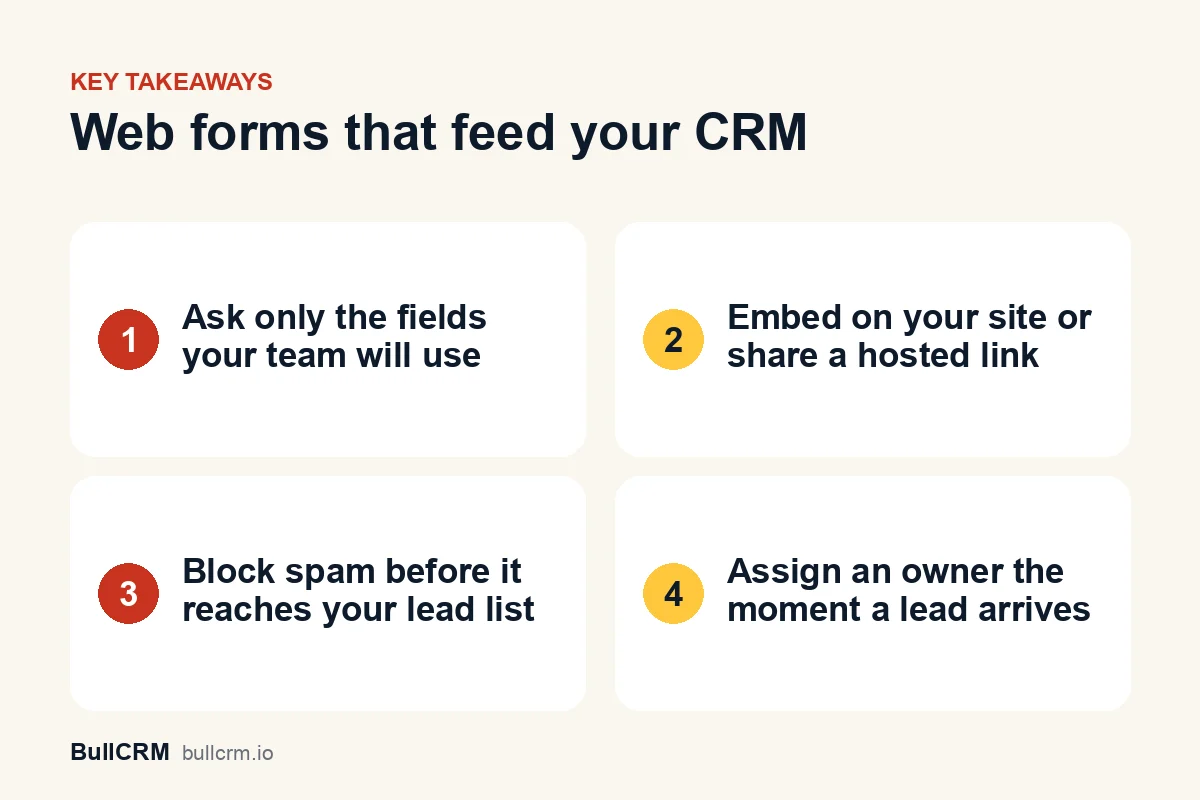
Linking a web form to CRM leads means every submission becomes a lead record automatically, with its fields mapped, its source set and an owner assigned, instead of landing in an inbox for someone to copy across. The setup has four parts: choose the fields, publish the form as an embed or a link, block spam and set owner rules. Get those right and a website enquiry reaches the right rep while the visitor is still interested. This guide covers each part, with examples for Indian businesses.
How does a web form send leads into a CRM?
A form that is connected to a CRM skips the email inbox entirely. The journey from visitor to lead looks like this:
- A visitor fills in the form on your website or through a shared link.
- Spam checks run before anything is saved.
- The CRM creates a lead or contact, with each answer mapped to a field and the form recorded as the source.
- An owner rule assigns the lead, and a notification goes to the right people.
Compare that with the common alternative, a contact form that emails a shared address. Someone reads the email, retypes it into a spreadsheet and forwards it to a rep, and every handover adds delay and another chance to lose the lead. In BullCRM, Web Forms is its own module that feeds CRM leads and contacts, so you add it alongside the CRM when you want to capture leads from your website.
Which fields should a lead form ask for?
Ask for the fewest fields your team needs to make a useful first contact. Every extra field gives a visitor another reason to give up, and most details can be collected later in the conversation.
| Field | Why you need it | Required? |
|---|---|---|
| Name | To address the person properly | Yes |
| Phone with country code | For a call or a WhatsApp follow-up | Yes, for most Indian businesses |
| For quotes, brochures and documents | Optional, unless you sell mainly by email | |
| What they need | Routes the lead and prepares the rep | Yes, as a short pick-list |
| City or area | Territory routing and service coverage | Only if it changes who handles the lead |
| Best time to call | Helps the first call connect | Optional |
Map every field before you publish
A form field that does not map to a CRM field is data you will never use. Map each answer to a lead or contact field, and create custom fields for anything specific to your business, such as course name or property budget. Custom field sections are available on leads, contacts, accounts, deals and meetings in lead and pipeline management, so the form and the record speak the same language.
Collect only what you need, and get consent
Collecting less is also good data practice. If you plan to follow up on WhatsApp, add an opt-in checkbox, because customers must opt in before a business messages them, as the WhatsApp Business Messaging Policy explains. India has a digital personal data protection framework, and the MeitY data protection framework page holds the official material. A short line telling people how you will contact them, plus a check with your legal adviser, is a sensible minimum.
Should you embed the form or share a link?
Both routes create the same lead in the CRM. The difference is where the visitor fills in the form, and most businesses end up using both.
| Embedded form | Hosted link | |
|---|---|---|
| Where it appears | Inside a page on your own website | On its own page, opened from a link |
| Best for | Contact, landing and product pages | Instagram bio, WhatsApp chats, emails and printed QR codes |
| Setup | Paste the embed code into your site once | Copy the URL and share it |
| Control | Limit it to the domains you allow | Works anywhere the link is shared |
| Example | A D2C skincare brand's "Find your routine" page | A trade-fair stall poster with a QR code |
For offline places like stalls, flyers and shop counters, a hosted link works well when it is printed as a QR code. If you would rather the customer start a WhatsApp chat than fill in a form, our guide to WhatsApp links and QR codes covers that route.
How do you keep spam out of your CRM?
An open form attracts bots, and a CRM full of junk leads wastes rep time and spoils your reports. Layer several defences, so that one weak spot does not let everything through.
- Honeypot fields: hidden fields that people never see but bots often fill in, which flags the submission.
- Image captcha: an optional challenge for forms that attract heavy spam.
- IP rate limits: a cap on how many submissions one address can send.
- Blocked email domains: a list of throwaway or junk domains to reject.
- Duplicate email rejection: a rule that stops the same person being added again and again.
BullCRM web forms include all five as options. Start with the honeypot and the duplicate rule, then add the captcha only if spam keeps coming, because every extra step can put off genuine visitors.
Who gets the lead? Setting owner rules
A lead without an owner waits for someone to notice it. Decide the rule before you publish the form, not after the first complaint from a customer who never heard back.
Fixed owner
Every submission goes to one named person. This suits a small business where the founder or one sales lead handles all enquiries, or a form for a single specialist product.
Round robin
Submissions rotate across a group, so the workload stays even. In the Web Forms module, the rotation runs across users marked as team leads, so mark the right people before you go live.
Whichever rule you choose, turn on email notifications so the owner, and a manager if needed, hears about each submission straight away. You can also track views and submissions for each form to see which pages turn visitors into leads. For example, a D2C brand might send wholesale enquiries to one fixed owner in its B2B team and rotate retail enquiries across three team leads.
What should happen in the first hour after a submission?
The form's job ends when the lead is created, and the sales job starts there. The first hour sets the tone for the whole relationship.
- Acknowledge the enquiry, so the person knows it arrived.
- Have the owner make a real first contact by phone or WhatsApp.
- Update the lead status, so everyone can see it has been handled.
- Set a next step with a date if the lead is not ready to talk.
You can automate much of this. A flow triggered when a lead is created can create a call task and send a WhatsApp welcome, and our guide to automating sales follow-ups has cadences to copy. For how form leads fit alongside every other source, read the lead management process guide.
Leads rarely come from forms alone. If yours also arrive from ads, chats and calls, the CRM integrations overview shows how WhatsApp, Click-to-WhatsApp ads, calling and Gmail feed the same records.
Frequently asked questions
What do I need to embed a form on my website?
Embedding means pasting a snippet of code into your page and listing the domains allowed to display the form. If your site builder does not accept custom code, or nobody on the team can edit the site, share the hosted link instead.
Will repeat submissions create duplicate leads?
Turn on the duplicate email rule and a second submission from the same email address is rejected. If many of your leads give only a phone number, also ask reps to search by phone before creating anything by hand.
Can a form create a contact instead of a lead?
Yes. Each submission can create a lead or a contact, depending on how you set up the form. Use contacts for forms aimed at existing customers, such as service requests, and leads for new enquiries.
How many fields is too many?
There is no fixed number. If a field does not change who handles the lead or what they say first, move that question into the conversation instead.
A web form connected to your CRM is one of the simplest ways to stop losing website enquiries. Keep the fields short, block spam, give every submission an owner and follow up within the hour. When you are ready to try it with your own pipeline, start your free trial and publish your first form.