Blog post
WhatsApp Frequency Capping: How Per-User Marketing Limits Work
Meta limits how many marketing templates each person receives based on their engagement. Here is what error 131049 means, how long to wait, and how to plan campaigns so fewer messages are held back.
WhatsApp frequency capping is Meta's per-user limit on marketing template messages. When a person is unlikely to engage with more marketing right now, WhatsApp can hold back further marketing templates to that person, from any business, for a period of time. The message is not delivered and your system receives error code 131049. Nothing is wrong with your account; the limit is about that one recipient.
This guide explains how the limit works according to Meta's current documentation, which messages it covers, what to do when you see 131049, and how to plan campaigns so fewer messages are held back.
What is WhatsApp frequency capping?
Meta calls it the per-user marketing template message limit. In Meta's words, WhatsApp may limit the number of marketing template messages a user receives from any business in a given period "when they are less likely to be receptive and engage with those messages."
Two points matter most:
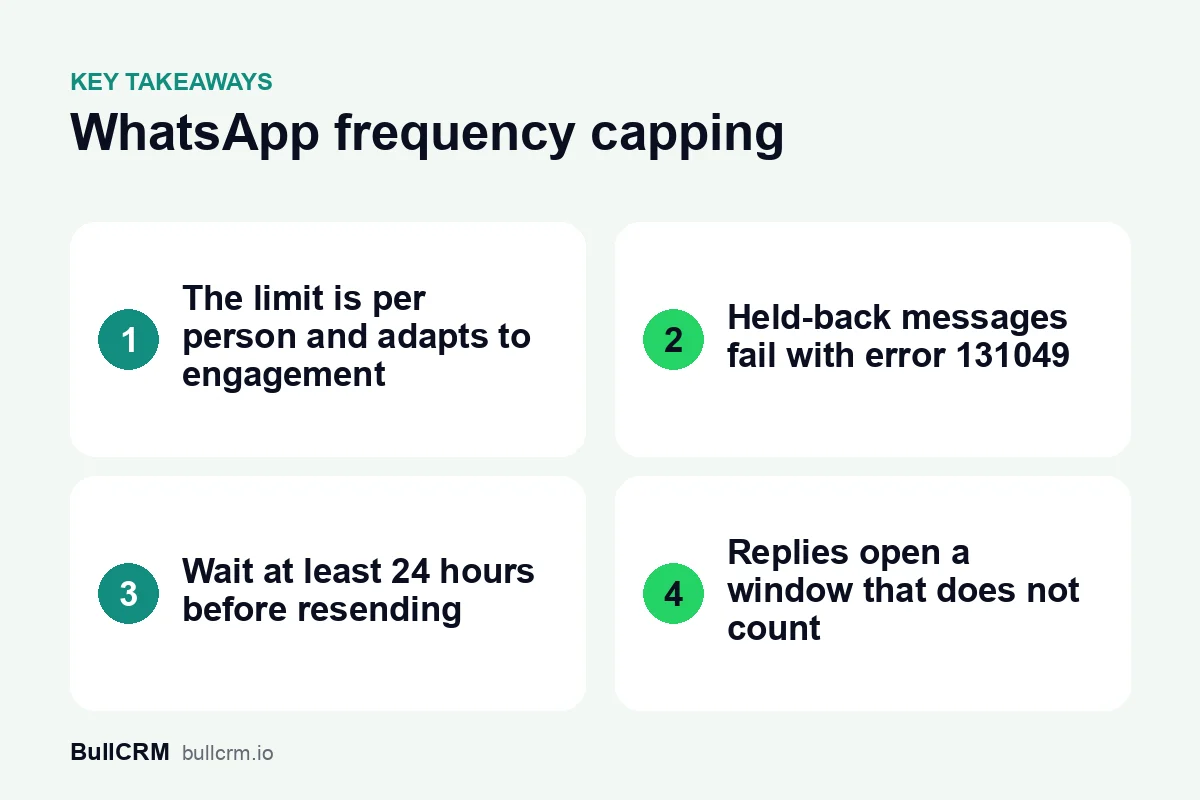
- It is per person, not per business. The limit belongs to the recipient. Reaching it for one customer does not stop you sending marketing messages to anyone else.
- It is not a fixed number. Meta says the limit adapts automatically based on the person's recent engagement, including how often they read marketing messages and how many messages from friends, family and businesses are already in their inbox. Meta does not publish a threshold, so any "X messages per week" figure you read elsewhere is not an official rule.
Which messages count towards the limit?
Meta's documentation describes the limit for marketing template messages. Each marketing template that is delivered counts towards the person's limit.
There is one important exception. When a customer replies to a marketing message, a 24-hour customer service window opens, and marketing messages you send inside that window do not count towards the limit. That is one more reason to write campaigns people want to answer, and to reply quickly when they do. Our guide to the WhatsApp 24-hour customer service window explains how that window opens and resets.
Because the rule is tied to the marketing category, choosing the right category for each template matters. If you are unsure where an offer, an order update or a passcode belongs, see WhatsApp template categories explained.
What happens when a message hits the limit?
WhatsApp does not deliver the message. Your messages webhook reports the status as failed with error code 131049, and Meta's error reference describes it as: "This message was not delivered to maintain healthy ecosystem engagement."
Meta's guidance for this error is clear:
- Wait at least 24 hours before you try to send a marketing template to that person again.
- Do not retry repeatedly. Meta says that if an account keeps resending marketing messages within 24 hours to people who have already reached their limit, further attempts to those people may be blocked for up to 24 hours, still with error 131049. Early retries also make campaign delivery reports less accurate.
- Everyone else is unaffected. The block applies only to the people who reached their limit.
| Error code | What Meta says it means | What to do |
|---|---|---|
| 131049 | Not delivered to maintain healthy ecosystem engagement (per-user marketing limit) | Wait at least 24 hours before resending a marketing template to that person |
| 130472 | Not sent because the user is part of a Meta marketing message experiment | Resending gives the same error; ask the customer to message you first |
131049 is not the same as 130472
Meta also runs a marketing message experiment. A very small percentage of WhatsApp users do not receive marketing templates from any business unless a customer service window or an open free entry point window already exists between that user and the business. Messages blocked this way fail with error 130472.
Meta states that it does not bill you for a marketing template held back by this experiment, that the experiment has no fixed end date, and that no exceptions or opt-outs are available. Resending gives the same error. If you must reach that customer, Meta suggests asking them by another channel to message you, so you can reply inside an open customer service window.
Free entry point windows come from Click-to-WhatsApp ads. Our guide to the WhatsApp free entry point window covers how they open and how long they last, and Click-to-WhatsApp ads for lead generation explains how to run those ads.
Marketing templates and US phone numbers
Meta's documentation also states that WhatsApp does not currently deliver marketing template messages to users with United States phone numbers (a +1 dialling code with a US area code), and that attempts to send them return an error. If part of your list is in the US, plan utility messages or customer-started conversations for those contacts instead of marketing broadcasts.
How to plan campaigns around the limit
You cannot see or raise anyone's limit, but you can make it less likely your messages are held back. Everything below follows from how Meta describes the rule: it rewards engagement and penalises noise.
- Send to people who opted in. Customers who asked to hear from you read your messages, and reading is part of what the limit looks at. Our WhatsApp opt-in guide covers how to collect consent properly.
- Segment instead of blasting. One relevant message to the right group beats the same offer sent to everyone. The WhatsApp broadcast playbook walks through segments, timing and frequency.
- Invite a reply. A clear question or a quick-reply button turns a broadcast into a conversation, and messages inside the resulting 24-hour window do not count towards the limit.
- Answer fast. A chatbot or a shared inbox helps you reply while the window is open. See WhatsApp chatbots for business for ideas.
- Use the right category. Order updates belong in Utility and passcodes in Authentication; dressing a promotion up as an update will not help, and a template carrying an offer is marketing.
- Retry slowly, not repeatedly. Treat 131049 as "not now" for that person. Revisit them in a later campaign, at least a day later, rather than resending straight away.
- Watch your failed counts. A rising share of 131049 failures in a segment is a sign that segment is getting more marketing than it wants.
Does frequency capping change what you pay?
Meta's documentation is explicit for the experiment: a marketing template blocked with 130472 is not billed. Its per-user limit page does not make the same statement for 131049, so check your own billing reports rather than assuming either way. For current per-message rates by category, see our WhatsApp Business API pricing guide for India.
How Bellow handles 131049
In Bellow, a broadcast recipient who fails with 131049 is marked as failed for that send and is not retried automatically, which follows Meta's advice against repeated resends. Temporary errors, such as throughput limits, are retried after a short backoff instead. In the shared inbox, these failures are labelled as a frequency limit, so your team can tell them apart from wrong numbers or template errors and plan a later follow-up.
Frequently asked questions
How many marketing messages can one person receive?
Meta does not publish a number. The limit adapts to each person's recent engagement, including how often they read marketing messages and how busy their inbox is.
Does the limit apply to my whole account?
No. It applies per recipient. Meta says reaching the limit for some users does not affect your ability to send marketing messages to other users.
How long should I wait after error 131049?
At least 24 hours before sending another marketing template to that person. Repeated retries within 24 hours can block further attempts to them for up to 24 hours.
Do replies inside the 24-hour window count?
Marketing messages sent inside a customer service window that the customer opened by replying do not count towards the per-user marketing limit.
Is error 130472 the same as frequency capping?
No. 130472 means the person is in a Meta marketing message experiment. Resending gives the same error, and Meta says such messages are not billed.