Blog post
WhatsApp Opt-In: How to Collect Consent That Meets Meta's Policy
What WhatsApp opt-in requires under Meta's policy, which collection methods it accepts, what the wording should say and how to handle opt-outs and proof.
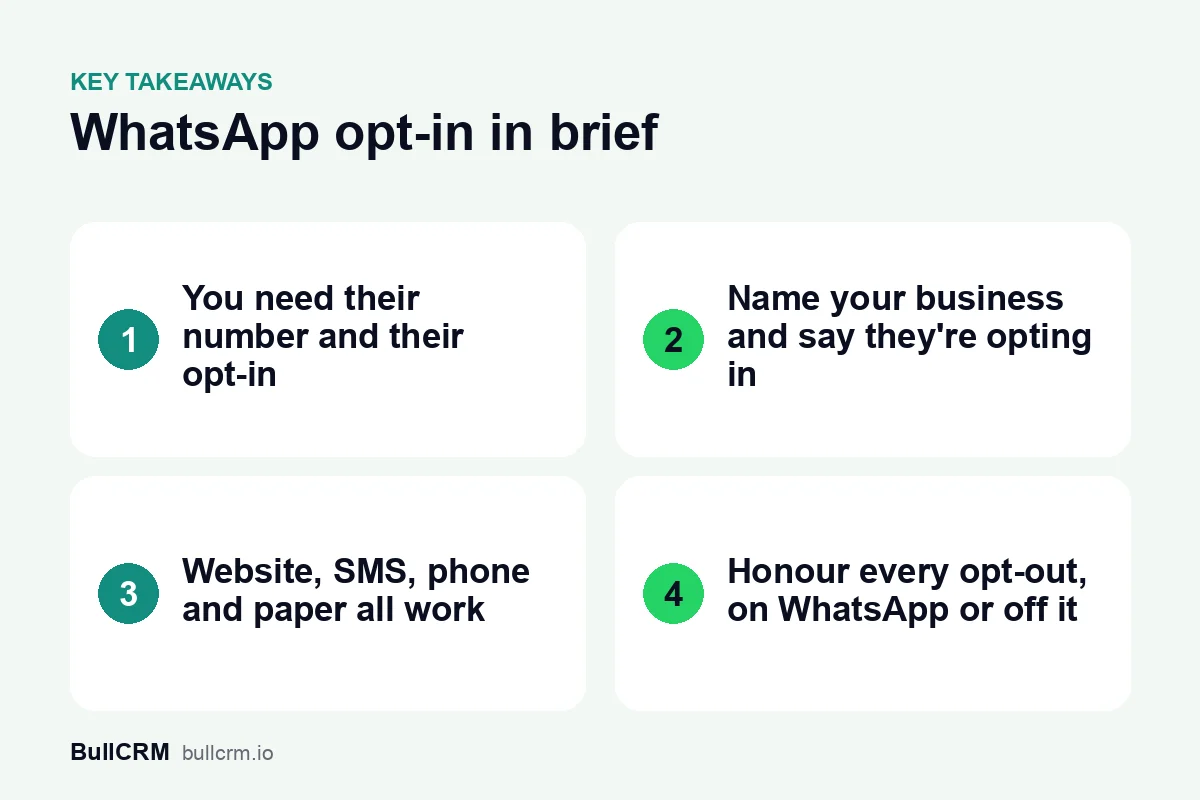
WhatsApp opt-in is the permission a person gives a business to message them on WhatsApp. Under Meta's policy, you can contact someone only if they gave you their phone number and agreed to receive messages from your business. The opt-in must name your business, make clear the person is opting in, and comply with local law.
What does Meta's policy require for WhatsApp opt-in?
The WhatsApp Business Messaging Policy sets two conditions before a business can contact someone on WhatsApp:
- The person has given you their mobile phone number or username.
- You have received opt-in permission from them confirming that they want to receive messages or calls from you.
Meta's opt-in guide for developers adds three requirements for how you collect that permission:
- Say that the person is opting in. It must be clear that they are agreeing to receive communication from you.
- Name your business. The person must know which business will message them.
- Follow applicable law. The opt-in has to comply with the laws that apply to your communications.
The opt-in does not have to mention WhatsApp. Since Meta's November 2024 policy update, it can be general rather than WhatsApp-specific, as long as you comply with local laws. The responsibility is yours. The policy says the business alone decides how to collect opt-in and must make sure the method meets the law.
Which opt-in methods does Meta accept?
Meta lets each business choose its own method, provided it meets the requirements above. The opt-in guide lists these as supported examples: SMS, a website, a phone call using an interactive voice response (IVR) flow, and in person or on paper, where the customer signs a physical document.
| Method | Where it fits | What to keep on record |
|---|---|---|
| Website | Enquiry forms, checkout pages and account sign-ups | The wording shown next to the phone field, the date and the page |
| SMS | Customers you already text, such as for order or appointment updates | The message you sent and the customer's reply |
| Phone (IVR) | Call centres and support lines | The IVR prompt and the option the caller chose |
| In person or on paper | Shop counters, clinics, showrooms and events | The signed form and the date |
If you collect leads with CRM web forms, put the consent wording directly beside the phone number field so people see it before they submit. Printed material works the same way. A code from the free WhatsApp QR code generator lets a customer start a chat with you. Sending them offers weeks later still needs their opt-in and an approved template.
What should the opt-in wording say?
Good wording answers three questions: who will message you, what they will send, and how you can stop it. For example, an electronics shop in Nagpur could use this line on its checkout page:
- Clear: "Yes, send me order updates and offers from Nagpur Electronics on WhatsApp. I can opt out at any time by replying STOP."
- Unclear: "I agree to the terms and conditions." It does not name the business or say that the person will receive messages.
Meta also suggests some best practices that make opt-in work better, not just meet the rules:
- Cover the categories you will send. Mention the kinds of messages you plan to send, such as order updates, relevant offers and product recommendations. You can also collect a separate opt-in for each category.
- Ask separately for calls. The policy suggests a separate opt-in before you call someone on WhatsApp.
- Explain the value. Tell people what they gain from the messages.
- Explain how to opt out. Give clear instructions for stopping each category of messages, and honour them.
- Watch your quality rating. Meta advises keeping an eye on it whenever you roll out a new opt-in method.
Meta's point is that people should expect the messages they get. Unexpected messages are what lead people to block or report a business.
How should you handle opt-outs?
Opt-out is not optional. The policy says you must respect every request to block, discontinue or opt out of your WhatsApp messages, whether the person asks on WhatsApp or somewhere else. That includes removing them from your contact list. People can also stop marketing messages from individual businesses, block a business or report it. Meta says it will rate limit businesses whose quality stays low for a sustained period.
In practice, that means a customer who tells your shop assistant "please stop the WhatsApp offers" has opted out, just like one who replies STOP.
Bellow handles the WhatsApp side automatically:
- When a customer replies with an opt-out keyword such as STOP or UNSUBSCRIBE, including the Hindi word बंद, the contact is marked as opted out.
- Automation flows that are running for that contact stop.
- Broadcasts skip contacts who have opted out.
- Uploading a contact list again does not undo an opt-out, because a spreadsheet is not consent to override someone's request.
Requests that reach you elsewhere, such as by phone, email or at the counter, still need your team to update the contact.
How do you keep proof of opt-in?
Because the policy makes you responsible for how opt-in is collected, keep a record of who agreed, when, where and to what wording. Bellow keeps an opt-in record for each number, with its status, source, proof and date. By default, a broadcast skips contacts who have no opt-in on record, as well as anyone who has opted out.
If you are starting with an existing contact list, review it before your first WhatsApp broadcast:
- List every place your business collects phone numbers, online and offline.
- Check the consent wording at each one. Does it name your business and say the person is opting in to messages?
- Take numbers without a clear opt-in off your marketing lists. An old spreadsheet of customer numbers is not consent to receive offers.
- Note the source and date for the numbers you keep.
- Send STOP from a test phone and check that the contact shows as opted out.
Does opt-in change what you can send?
Opt-in gives you permission to message someone. It does not remove the template rules. When a customer messages you, you can reply without a template inside the 24-hour customer service window, which opens and resets with each message they send. Outside that window, you can send only approved templates. Our guide to the WhatsApp 24-hour window covers the details.
Opt-in also affects template categories. Meta lists opt-in management as a Utility use case, which covers confirming on WhatsApp an opt-in you collected on another channel, or confirming an opt-out. Promotional templates are Marketing, and our guide to WhatsApp template categories explains the difference. If a template is turned down, see why WhatsApp templates get rejected.
For marketing sent over time, a follow-up sequence should only include people who opted in to promotions, not everyone who once asked a question. The tips in our WhatsApp broadcast guide keep opted-in lists healthy.
Frequently asked questions
Does the opt-in have to mention WhatsApp?
No. Since the November 2024 policy update, opt-in can be general rather than WhatsApp-specific, as long as it complies with local laws. It must still name your business and make clear the person is opting in.
Can I reply when a customer messages me first?
Yes. You can reply without a template within the 24-hour customer service window. For messages you start later, especially offers, make sure you have their opt-in and use an approved template.
Can I message a list of numbers I bought?
No. The policy allows you to contact people who gave you their number and agreed to receive messages from you. A bought list meets neither condition.
How do I confirm an opt-in collected on my website?
Send a short confirmation template. Meta's category guidelines list confirming an opt-in collected on another channel as a Utility use case, for example "Thanks for confirming opt-in! You'll now receive notifications via WhatsApp."
Clear opt-in protects your number's standing and makes your messages welcome. Start a free trial to manage opt-ins, opt-outs and broadcasts in Bellow.