Blog post
Why WhatsApp Templates Get Rejected and How to Fix Them
The common reasons Meta rejects WhatsApp message templates, from variable formatting to wrong categories, and how to fix, resubmit or appeal each one.
WhatsApp templates get rejected when Meta's review finds a problem in one of five areas: badly formatted variables, content that breaks WhatsApp's policies, text over the length limits, wording that copies an existing template, or a category that does not match the content. Most rejections are fixed by editing the template and submitting it again.
How does WhatsApp template review work?
A template is a pre-approved message format. Templates are the only type of message a business can send outside the customer service window, so every broadcast, reminder and follow-up you start needs one. Our guide to the WhatsApp 24-hour window explains when a template is needed and when a normal reply is enough.
When you submit a template, Meta checks it with a mix of automated systems and manual review. Templates that contain spam, scam-like content or anything that breaks WhatsApp's policies are rejected. Meta's template review documentation says a decision can take up to 24 hours. Once it is made, a notice appears in WhatsApp Manager and Meta emails your Meta Business Suite admins.
An approved template shows as Active - Quality pending and can be sent straight away. A rejected template cannot be sent until you fix it, or until an appeal succeeds.
In Bellow you create templates, submit them to Meta and track each one's status from the template list. When Meta rejects a template, the rejection reason appears in the template's details, and draft, rejected or errored templates can be edited and submitted again.
What are the most common reasons templates are rejected?
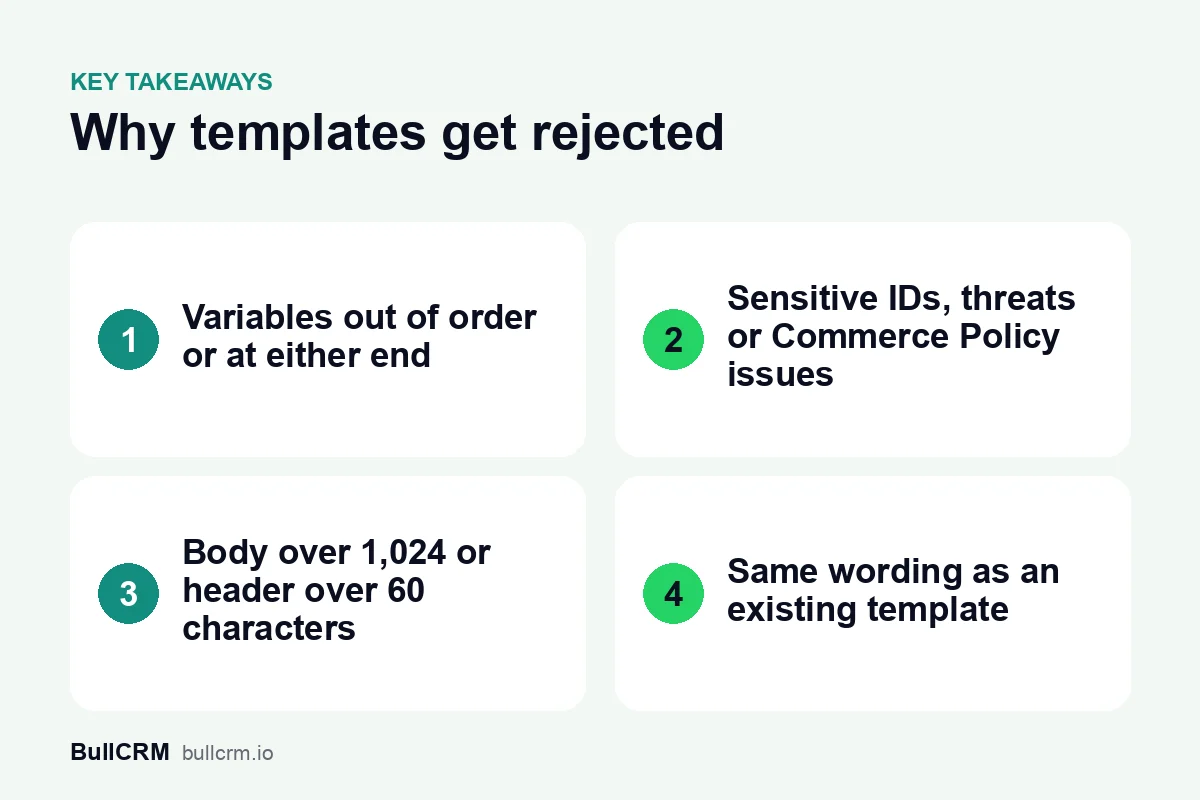
Meta publishes a list of common rejection reasons. Each one has a clear fix:
| Reason | What Meta flags | How to fix it |
|---|---|---|
| Variable formatting | Missing or mismatched curly braces, special characters such as #, $ or % inside a variable, or variables out of order | Use {{1}}, {{2}}, {{3}} in order, with plain numbers or names inside the braces |
| Too many variables | Too many variables for the length of the message | Use fewer variables or add more fixed text around them |
| Dangling variable | The template starts or ends with a variable | Put fixed words before the first variable and after the last one |
| Commerce Policy | Content about goods or services that breaks the WhatsApp Commerce Policy | Check what you sell and how you describe it against the policy |
| Sensitive identifiers | Asking for full card numbers, bank account numbers, national ID numbers or documents that contain them | Ask only for partial identifiers, such as the last four digits |
| Abusive or threatening content | Threatening legal action or public shaming | Rewrite the message in a neutral, factual tone |
| Character limits | Text over the limit for the component, or too many emojis in the body | Shorten the text and remove extra emojis |
| Duplicate | The same body and footer wording as a template you already have | Use the existing template or change the wording |
A wrong category is handled a little differently, and we cover it in its own section below.
How do you format variables so they pass review?
Variables, which Meta's API calls parameters, are the placeholders that Bellow fills with each customer's details when the message is sent. Most variable rejections come down to a few rules from Meta's list of rejection reasons and its guide to template components:
- Number positional variables in order. Start at {{1}} and count up: {{1}}, {{2}}, {{3}}. A sequence such as {{1}}, {{2}}, {{5}}, {{4}} is rejected.
- Keep named variables simple. Named variables use lowercase letters and underscores, such as {{first_name}}.
- Leave symbols out of the braces. A variable that contains #, $ or % is rejected, so put the symbol in the fixed text instead.
- Never start or end on a variable. Meta does not allow dangling variables at either end of the template.
- Add a sample for every variable. Meta requires an example value for each one, and the reviewer uses your samples to see how the message will look.
For example, a courier company in Surat could submit "{{1}}, your parcel {{2}} is out for delivery {{3}}". It starts and ends on a variable and has very little fixed text. A version that passes these checks reads: "Hi {{1}}, your parcel {{2}} is out for delivery today and should reach you by {{3}}. Reply here if you need to change the address."
Which content breaks WhatsApp's policies?
Three kinds of content come up most often in Meta's list.
Selling goods or services
When a business offers goods or services, Meta treats every related message and media file as part of the transaction. That includes descriptions, prices, fees, taxes and legal disclosures, and all of it must follow the commerce section of the WhatsApp Business Messaging Policy. Check what you sell against that policy before writing the template.
Asking for sensitive identifiers
Templates must not ask people to share full payment card numbers, financial account numbers, national identification numbers or other sensitive identifiers. They also must not ask for documents that might contain them. Meta says asking for part of an identifier, such as the last four digits, is fine. In India, that means a template should never ask for a full Aadhaar number.
Threatening or abusive wording
Meta rejects templates that threaten customers, for example with legal action or public shaming. This matters most for payment reminders. "Pay now or we will take legal action" will be rejected. "Your payment of {{1}} for invoice {{2}} is due on {{3}}. Reply here if you have any questions." states the facts without a threat.
What are the length and format limits?
Each part of a template has its own limit in Meta's template components guide:
- Body: up to 1,024 characters. Meta notes that the limit varies with the template's format, and that the number of emojis may also be limited.
- Text header: up to 60 characters, with one variable at most.
- Footer: up to 60 characters.
- Template name: lowercase letters, numbers and underscores only, up to 512 characters.
Short templates are easier to read on a phone anyway. If a body is running near the limit, the message is usually trying to do two jobs, and splitting it into two templates helps.
Why are duplicate templates rejected?
If a new template has the same body and footer wording as one of your existing templates, Meta rejects it as a duplicate. The rejection notice in Business Support Home shows the name and language of the template it matches. Meta says this check does not apply to Authentication templates.
The fix is to send the existing template instead, or to change the wording so the new one does a different job. Duplicates often appear when a team makes a "new" festive template that only changes the header image.
What happens when the category does not match the content?
Every template is Marketing, Utility or Authentication, and the category sets the price. Our guide to WhatsApp template categories explains each one with examples. Meta's categorization guidelines add a few rules that catch businesses out:
- A Utility template must have no promotional content, and it must relate to the customer's own order, account or request, or be essential to them.
- Mixed content, such as an order update with a discount code, is Marketing.
- Unclear content, such as a template that is only "{{1}}" or "Congratulations!", is also Marketing.
If Meta disagrees with your choice, there are two possible outcomes. Since 9 April 2025, a template you submit as Utility that Meta decides is Marketing is approved as Marketing, and you can request a review within 60 days. Otherwise the template is rejected with the reason INCORRECT_CATEGORY. You can then change the category and resubmit, create a new template or request a review.
Meta also re-checks templates after approval. It can move an approved Utility template to Marketing, normally with a day's notice. Because Marketing messages cost more, see platform pricing and the WhatsApp rates by country before you send a large volume.
How do you fix a rejected template and resubmit it?
- Read the reason. Meta sends it by email and shows it in Business Support Home, and Bellow shows it in the template's details.
- Match it to the table above. Most reasons point to one specific line or variable.
- Edit the template. Fix the wording or category, and add a sample for every variable.
- Resubmit or appeal. Resubmit the corrected version. If you think the decision was wrong, appeal instead. Appeals must include a sample, and Meta says it decides within 24 hours.
- Wait for Active before you schedule. A template under review cannot be sent, so do not schedule a WhatsApp broadcast or publish a follow-up sequence that depends on it until it is approved.
Approval is not the end of it. Meta's template pausing rules say a template that reaches low quality is paused for 3 hours the first time and 6 hours the second time, and disabled the third time. The habits in our WhatsApp broadcast guide and a clean opt-in process help keep that from happening.
Frequently asked questions
How long does WhatsApp template approval take?
Meta says a decision can take up to 24 hours, and an appeal is also decided within 24 hours. Submit templates well before the campaign or flow that needs them.
Can I edit a template after it is approved?
You can, but editing sends it back for review. Its status changes to In Review, and you cannot send it again until it is approved.
Why did my Utility template come back as Marketing?
Meta decided the content was promotional, mixed or unclear. Since April 2025, such templates are approved as Marketing rather than rejected, and you can request a review within 60 days if you disagree.
Do Authentication templates go through the duplicate check?
No. Meta says the duplicate check does not apply to templates in the Authentication category.
A few minutes spent checking variables, policy and category before you submit saves a day of waiting for a second review. Start a free trial to create and submit your templates from Bellow.