
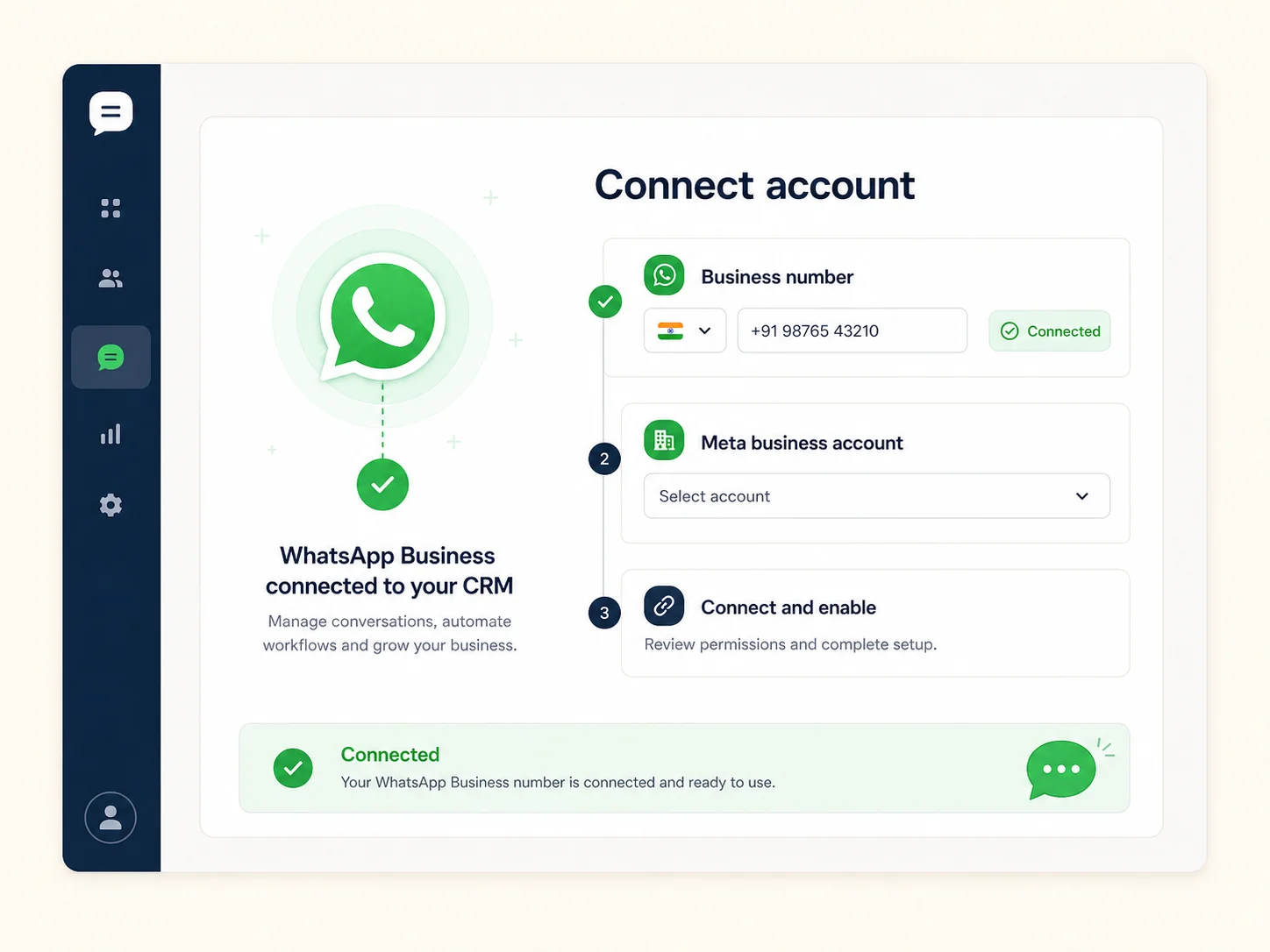
Connect WhatsApp Business Accounts
Connect your business account and phone numbers, then manage them from BullCRM.
Connect your WhatsApp Business Account with BullCRM and manage customer conversations, approved templates, proactive messaging, campaigns, and delivery reports from one secure dashboard.

Connect your own WhatsApp Business Account to a shared inbox, approved templates, automation, AI agents, Flows, Catalog, and CRM records. Your team can answer directly, let AI handle repeatable requests, hand off with context, and track every outcome in one workspace.
Everything your team needs to run WhatsApp customer communication with governance, visibility, and CRM context.
Connect your business account and phone numbers, then manage them from BullCRM.
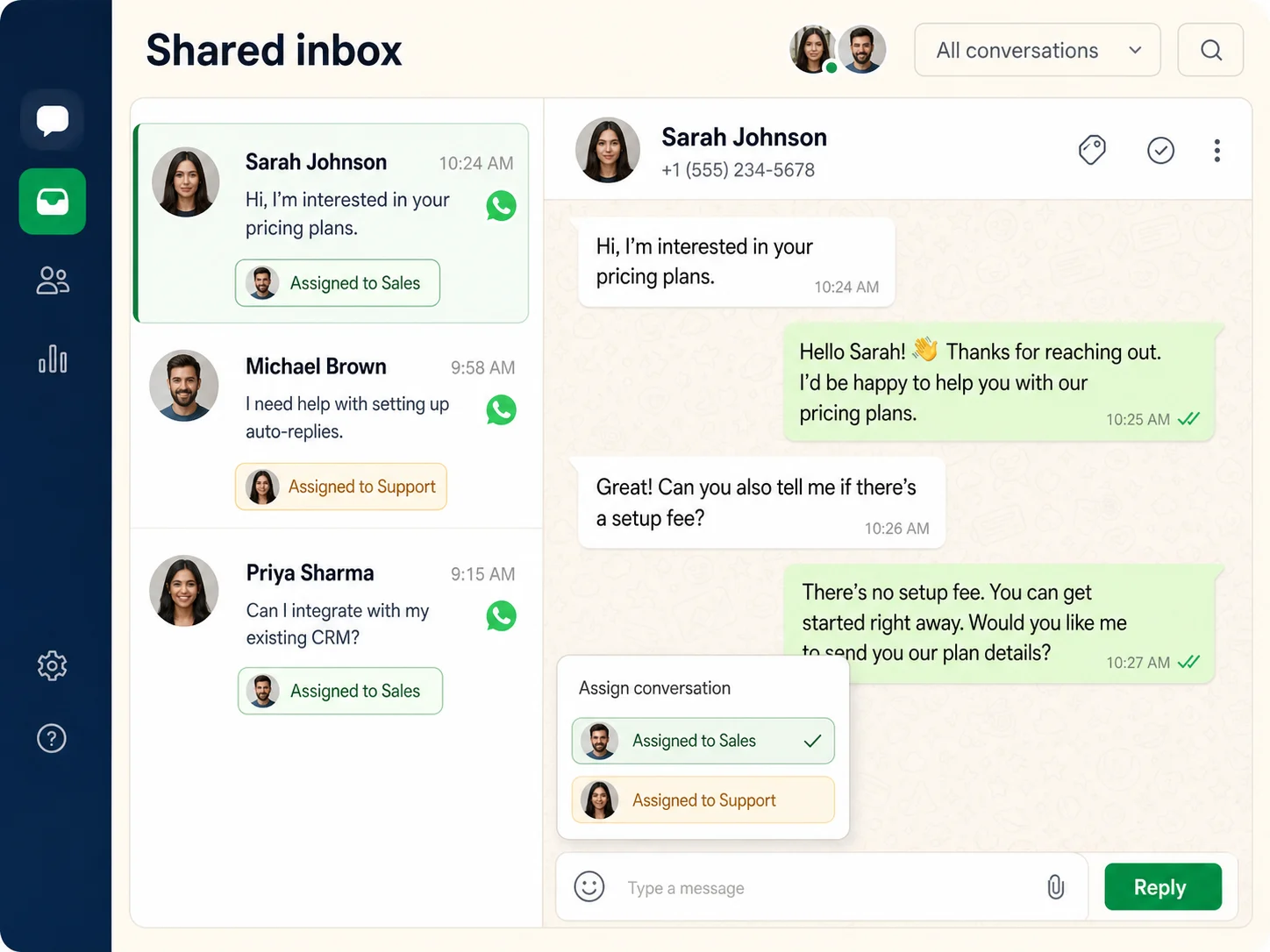
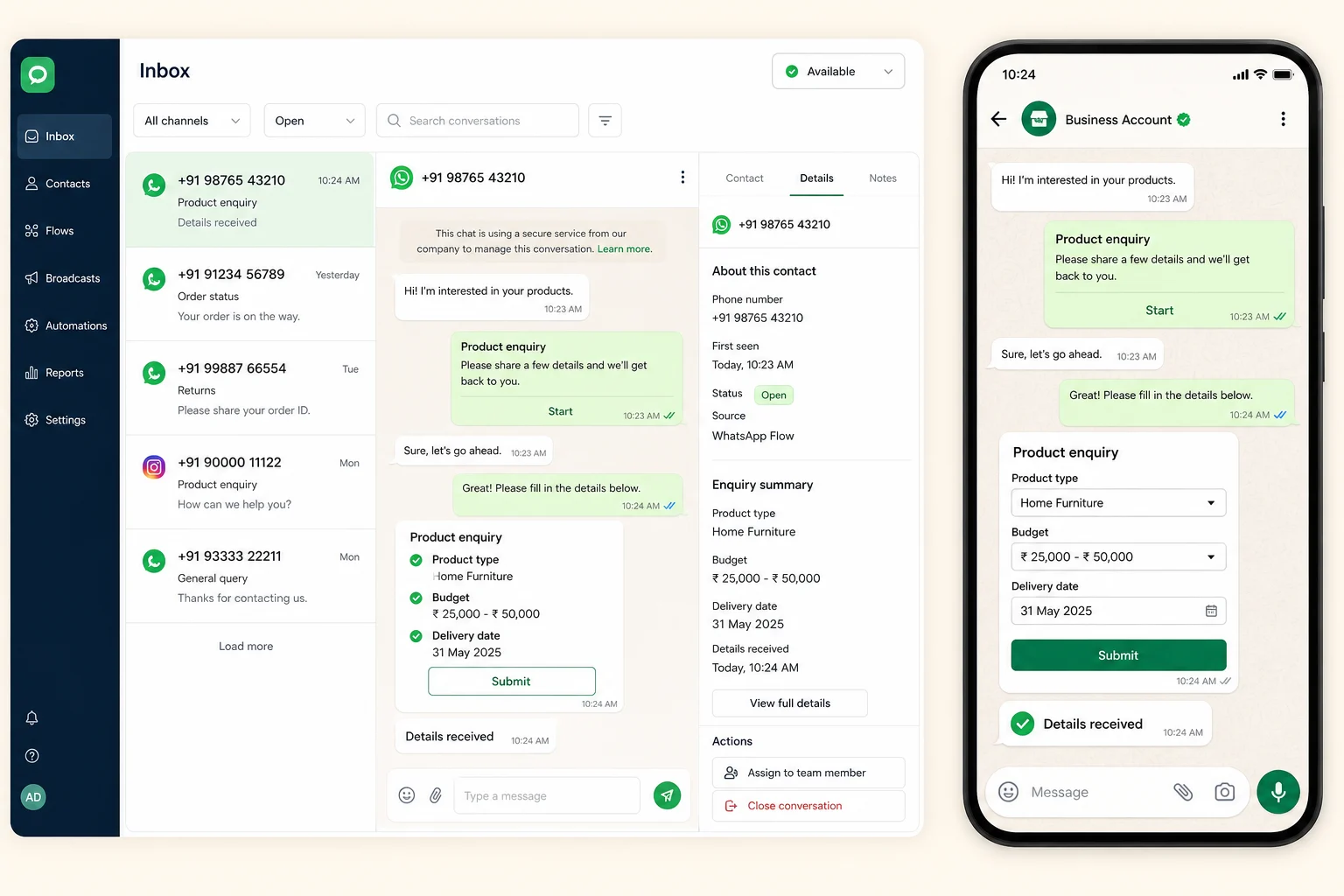
Receive, assign, and reply to customer conversations without losing ownership.
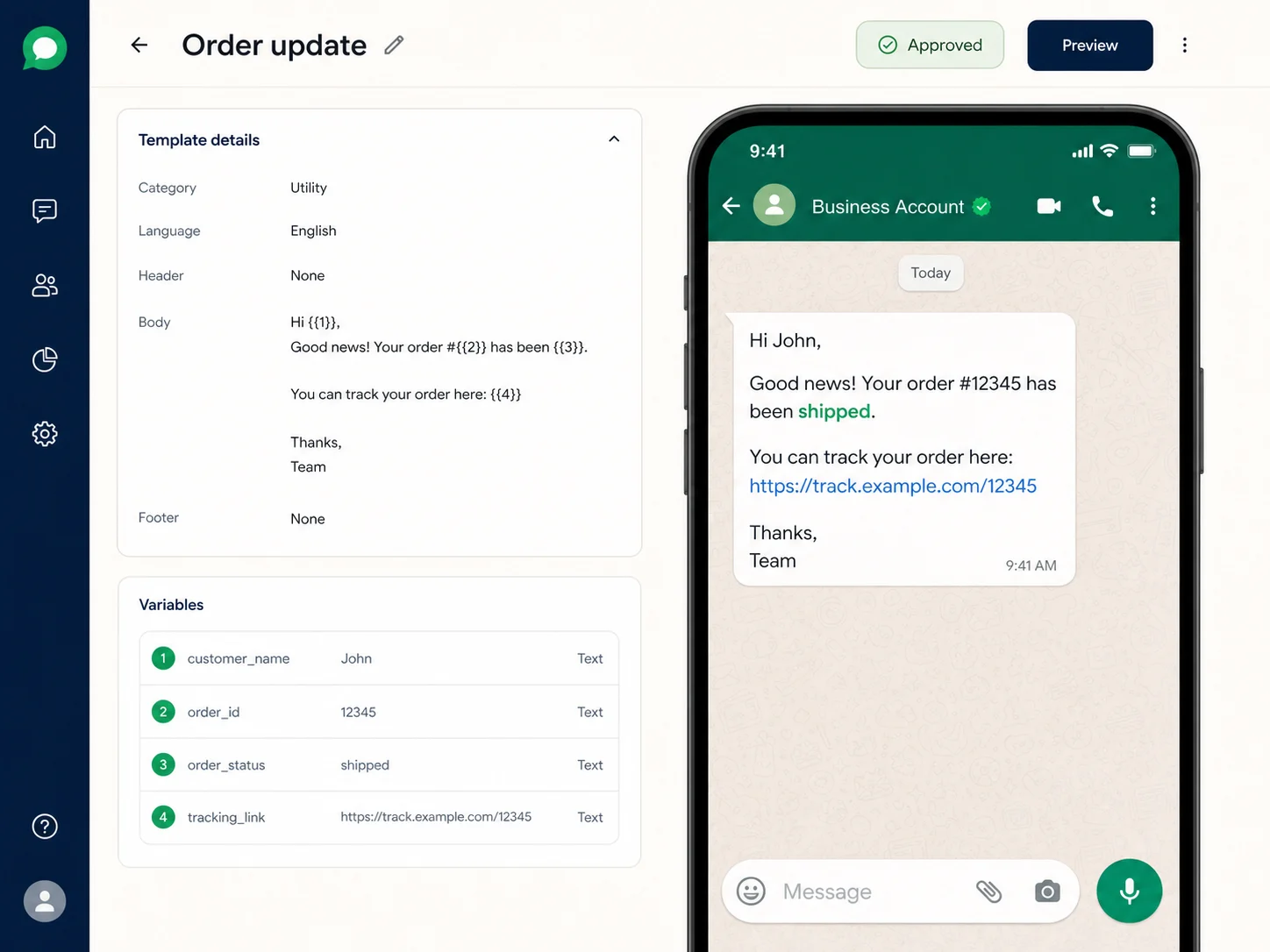
Create, sync, preview, and send approved WhatsApp message templates.
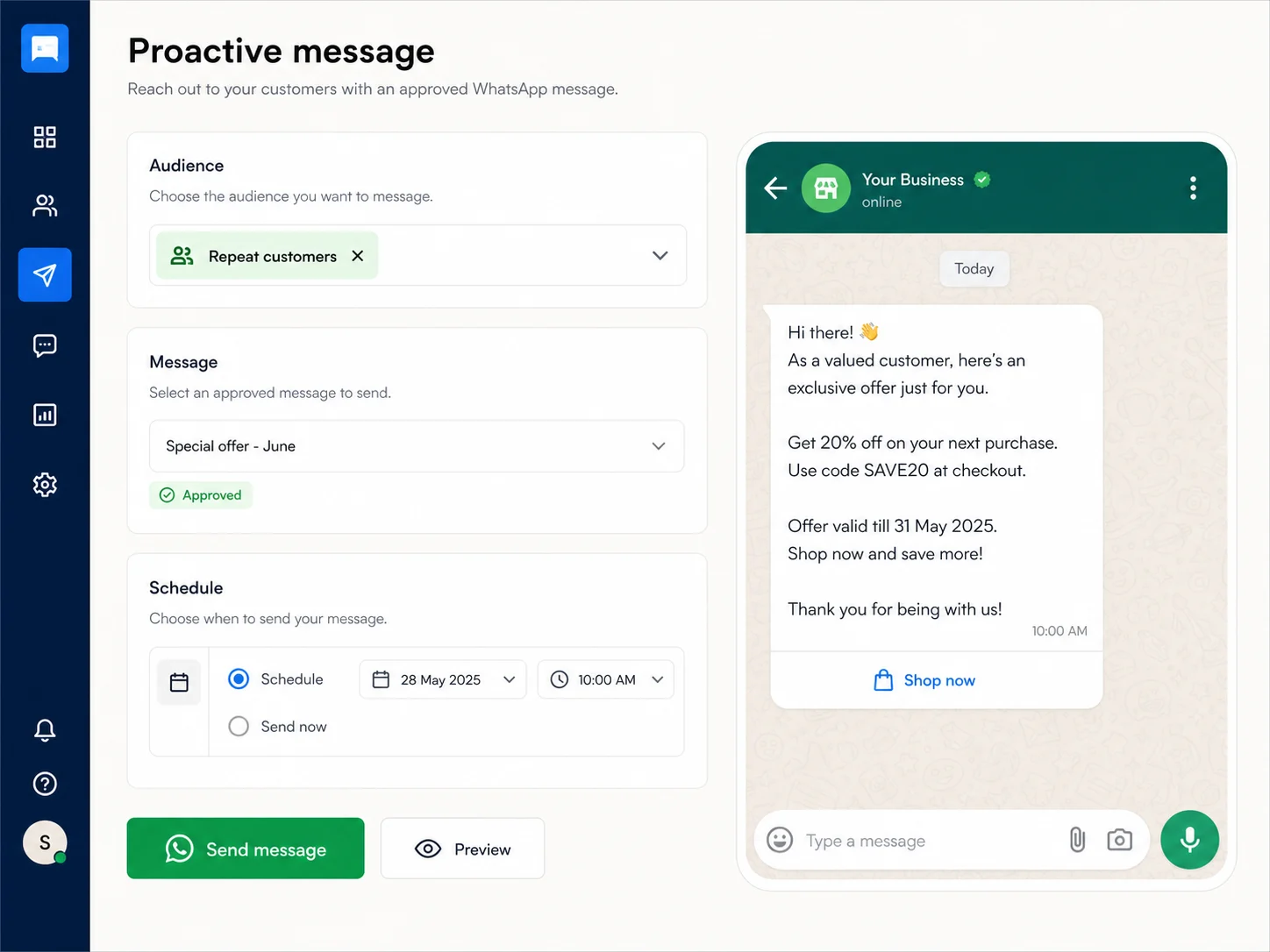
Reach the right segment with an approved message at the right time.
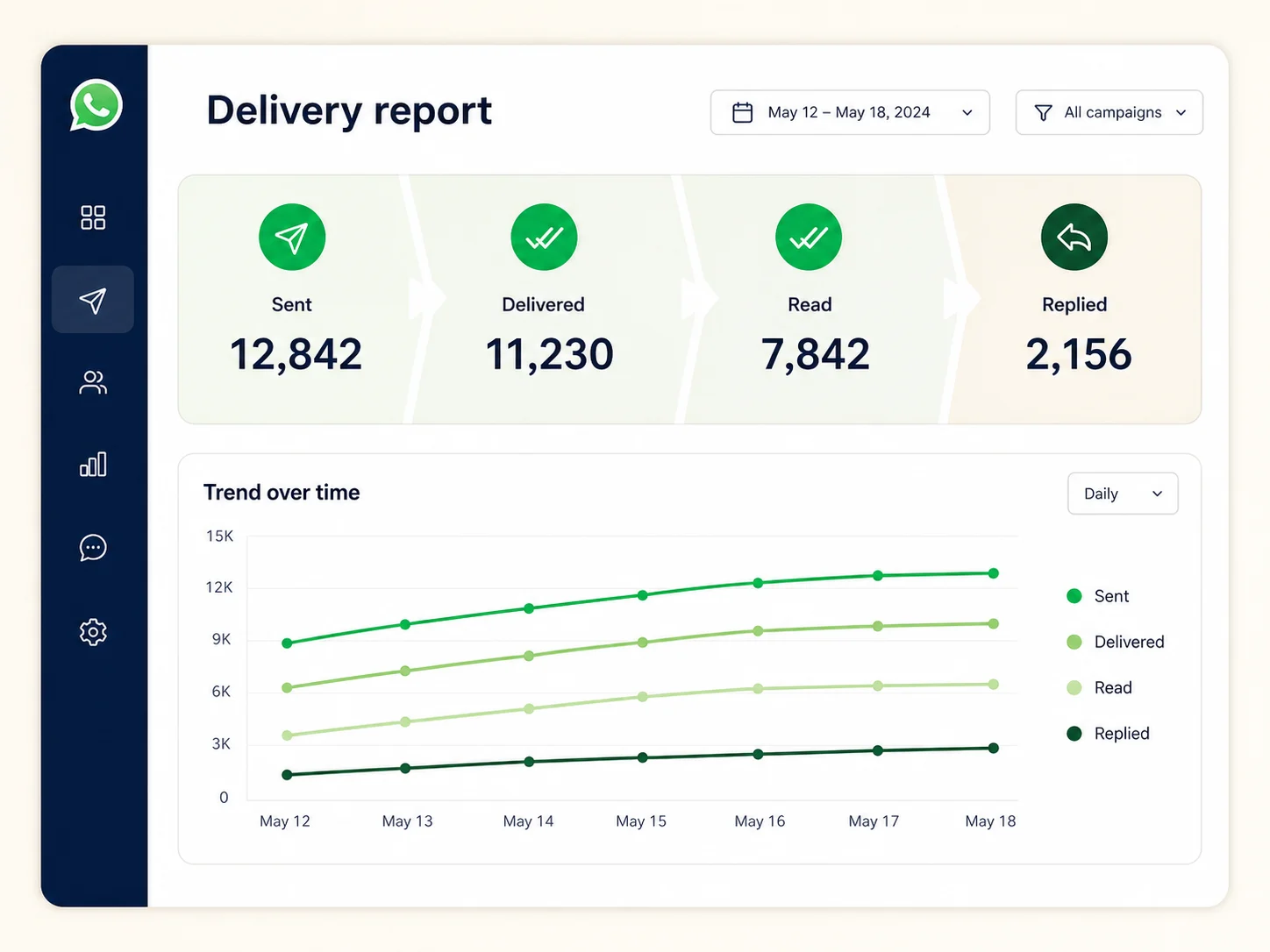
Track sent, delivered, read, failed, and replied message status.
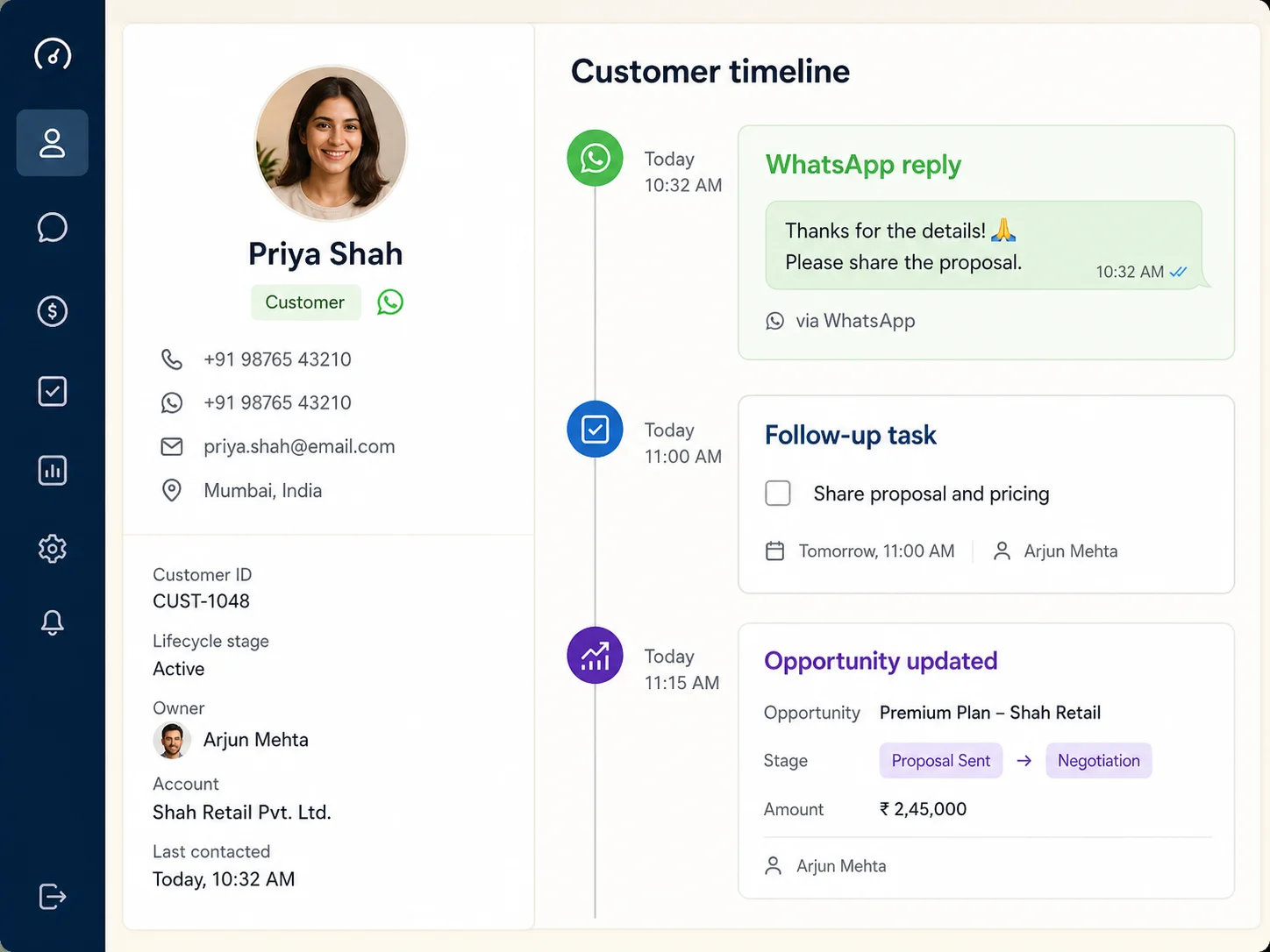
Keep messages beside leads, contacts, tasks, notes, and opportunities.
Give customers an immediate, useful reply while your team stays focused on conversations that need human judgment.
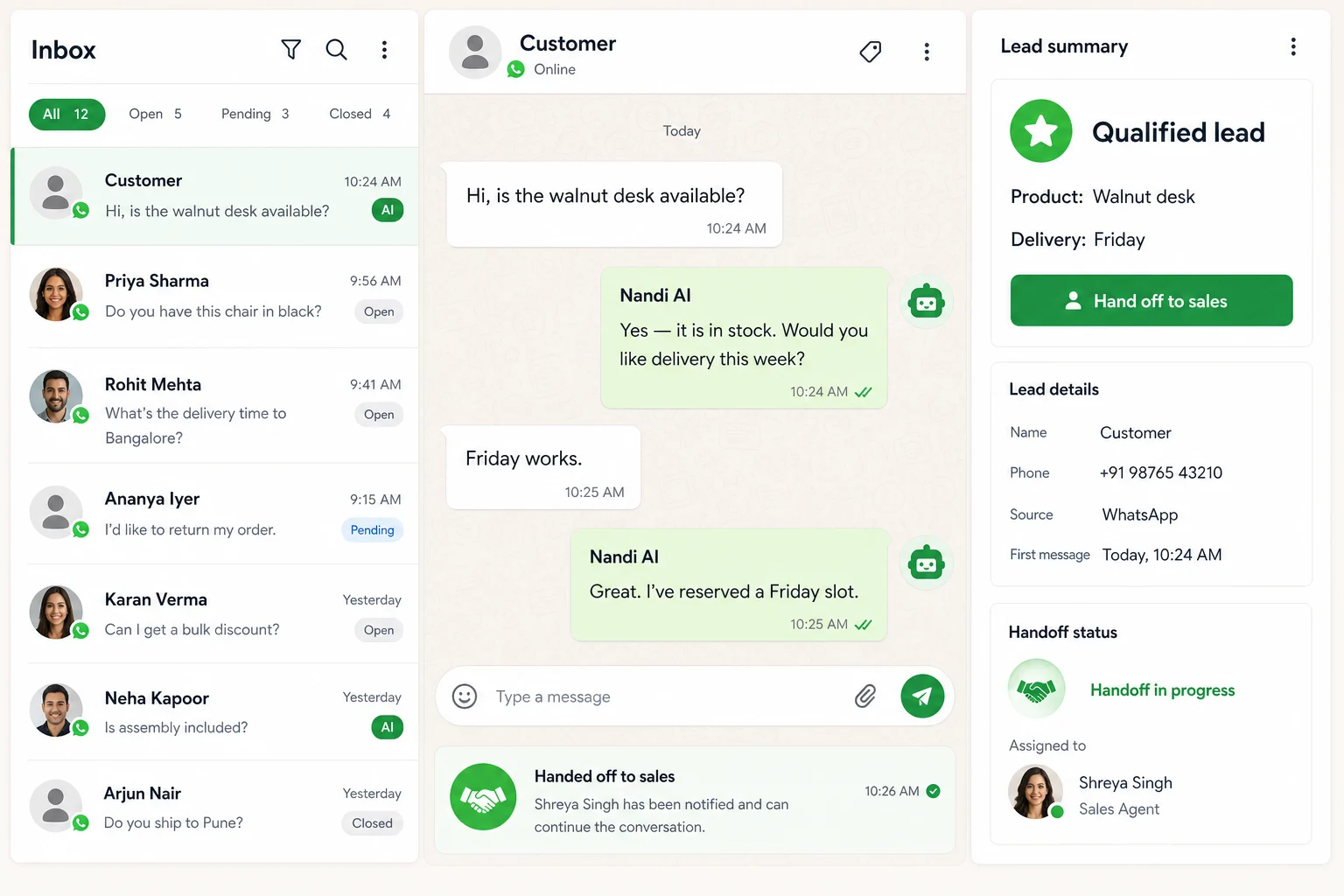
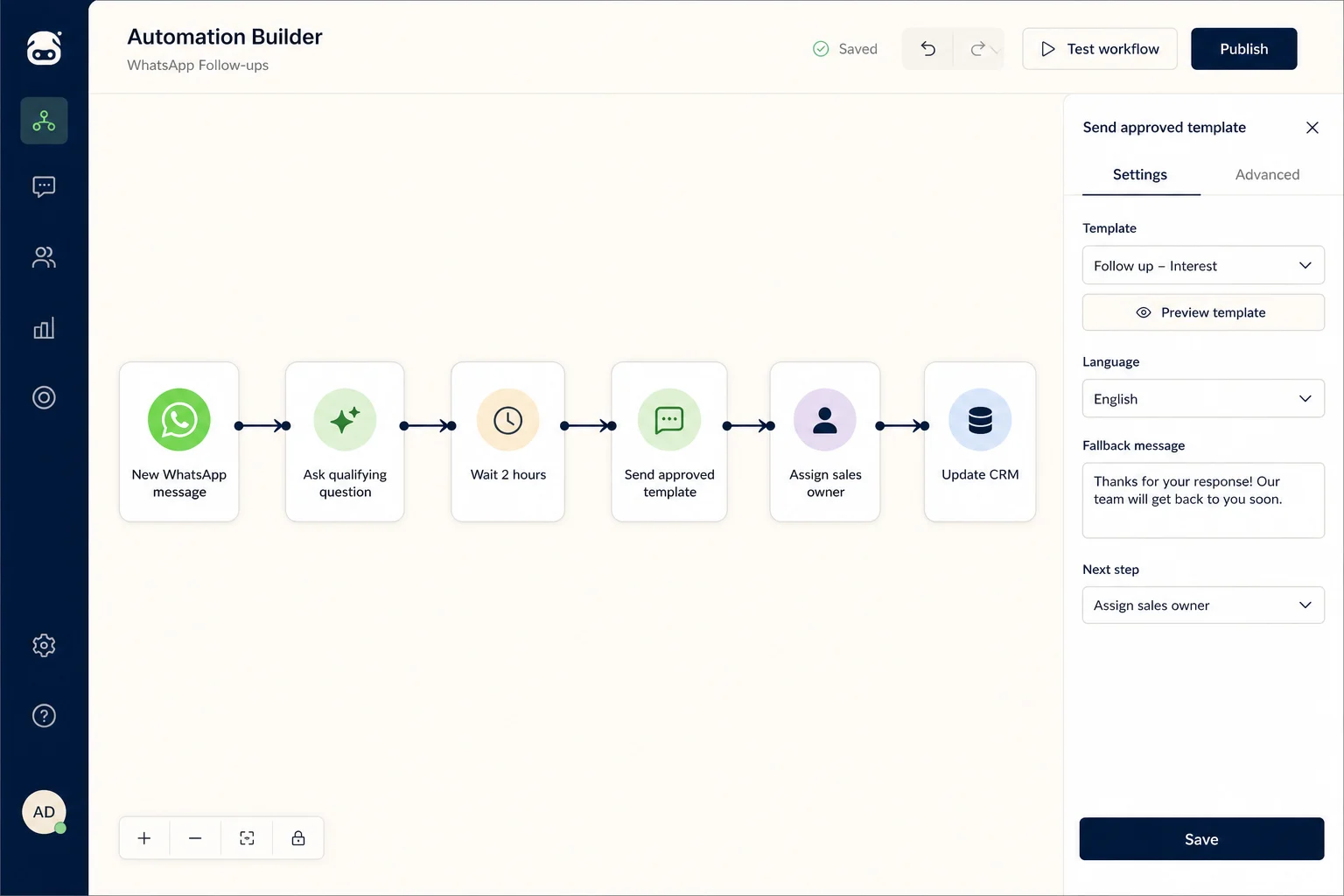
Start a workflow when a message arrives, pause when timing matters, send an approved template, assign an owner, and update CRM automatically.
Turn a conversation into a guided enquiry, booking, or request form while the customer remains inside WhatsApp.
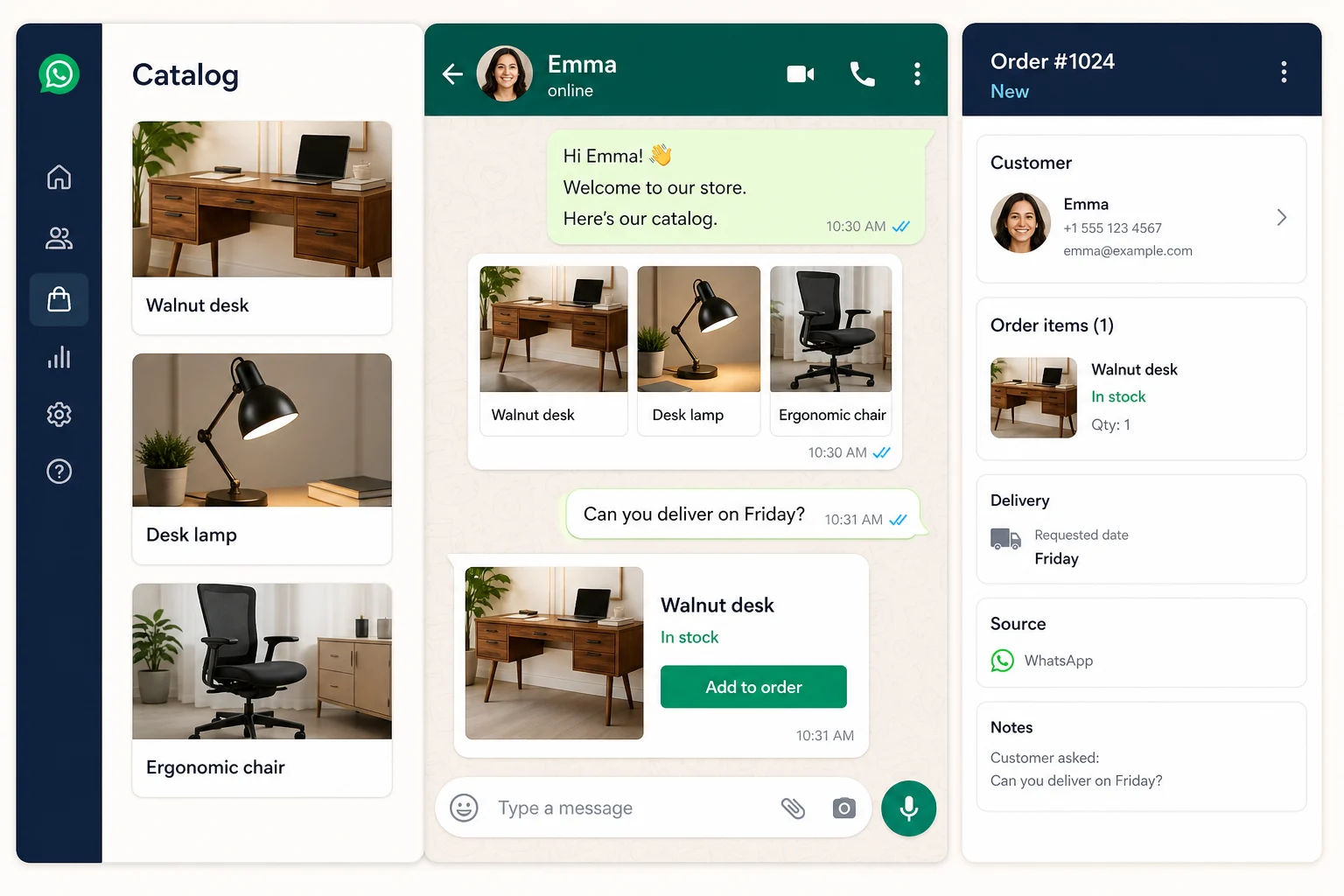
Sync products, share catalog items in conversation, and keep the selected item and delivery request visible to the team.
BullCRM keeps the WhatsApp thread connected to CRM actions at every stage, so automation does not lose context when a lead becomes a customer.
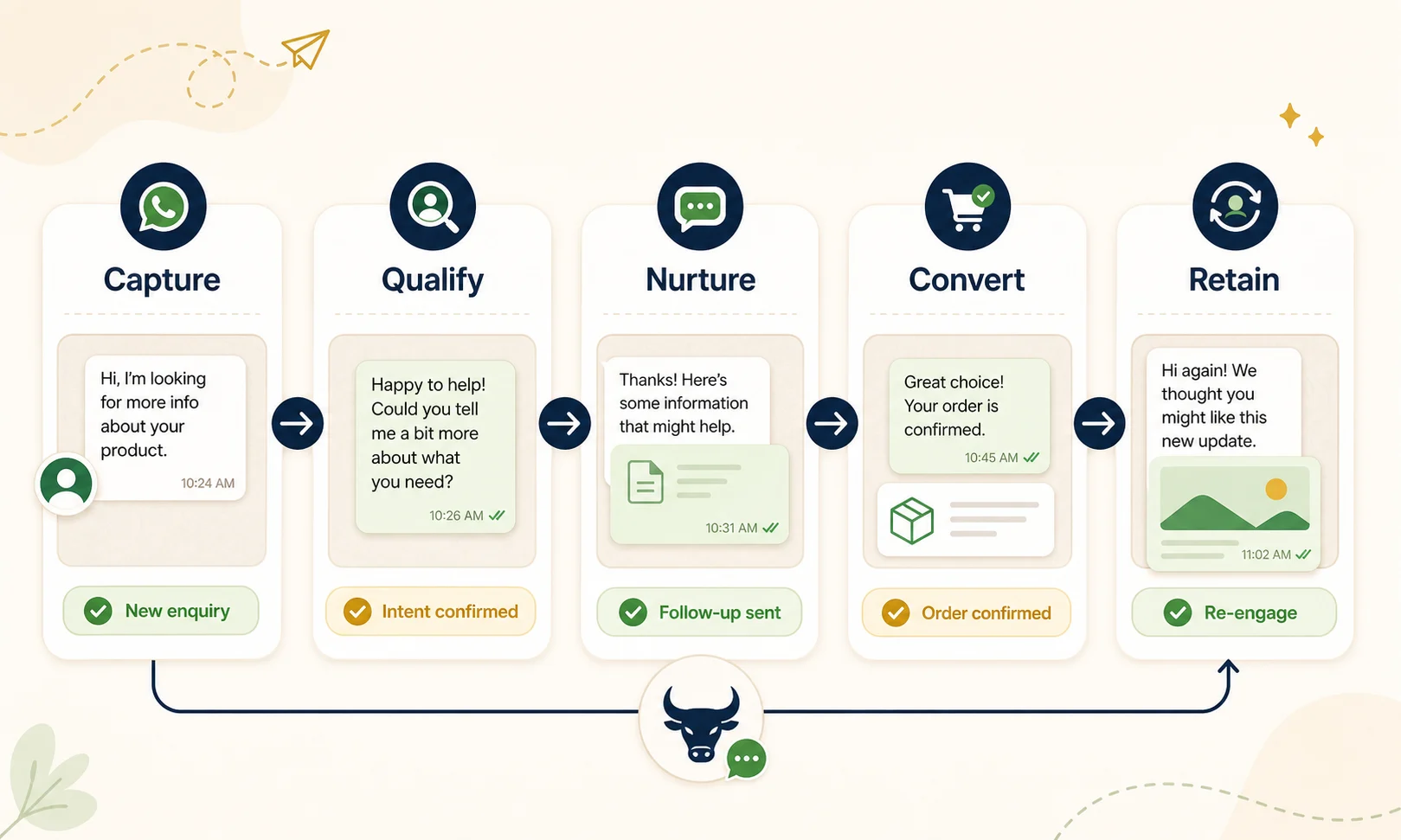
Businesses use BullCRM to manage WhatsApp communication across the customer journey.
Each client manages only their own customers and WhatsApp Business Account inside BullCRM.

BullCRM uses WhatsApp Platform Data only to provide the WhatsApp communication service requested by our clients. This may include WhatsApp Business account details, phone number details, message templates, template status, incoming messages, outgoing message status, customer replies, and delivery/read information.
We do not sell Platform Data, use it for third-party advertising, or share it with unrelated third parties. Each client’s data is kept separate and used only to provide CRM, messaging, support, automation, and reporting services for that client.
Talk with our team about account setup, shared inbox workflows, templates, campaigns, and reporting.
BullCRM WhatsApp Business Platform integration lets businesses connect a Meta WhatsApp Business Account to manage WhatsApp customer communication — inbox, approved templates, proactive messaging, campaigns, and delivery reports — from one CRM dashboard.
Yes. BullCRM allows business clients to connect their own WhatsApp Business Account and phone numbers to manage customer conversations without sharing unrelated tenant data across workspaces.
BullCRM provides a shared WhatsApp inbox, approved template messaging, proactive customer messaging, support replies, campaign tracking, delivery and read status, and reporting for WhatsApp Business communication.
Yes. Teams can create, submit, sync, and send Meta-approved WhatsApp message templates, then run proactive and campaign messaging with delivery tracking from the hub.
Yes. BullCRM Smart Agents can respond using configured knowledge, capture customer intent, and hand the thread to a team member with the conversation context intact.
Yes. WhatsApp Flows can collect structured details inside the conversation, while Catalog tools let teams sync and share products with the customer and keep that context in CRM.
No. BullCRM does not sell WhatsApp Platform Data or use it for third-party advertising. Platform Data is used only to provide the requested WhatsApp communication and CRM service to the client that connected the account.
Yes. Clients can request deletion of their account data, WhatsApp connection data, conversations, templates, and related records through our data deletion process.